



Modern web applications are complex, dynamic, and highly interactive. When users encounter bugs, performance issues, or confusing UI behavior, traditional error logs often fail to provide the full picture. This is where frontend error replay tools come in. These platforms record user sessions, capture console errors, track performance metrics, and replay real user journeys so developers can see exactly what went wrong—just as the user experienced it.
TLDR: Frontend error replay tools help teams understand bugs by recording and replaying real user sessions. They combine error tracking, performance monitoring, and behavioral analytics to provide context that simple error logs cannot. Tools like LogRocket, FullStory, Sentry Session Replay, and others offer different blends of session recording, privacy controls, and analytics. Choosing the right platform depends on your app’s scale, budget, and debugging needs.
Below are six powerful alternatives to LogRocket that help teams diagnose frontend issues faster and improve user experience with actionable insights.
1. FullStory
FullStory is one of the most comprehensive digital experience intelligence platforms available. It captures detailed session replays, user interactions, rage clicks, dead clicks, and frontend errors.

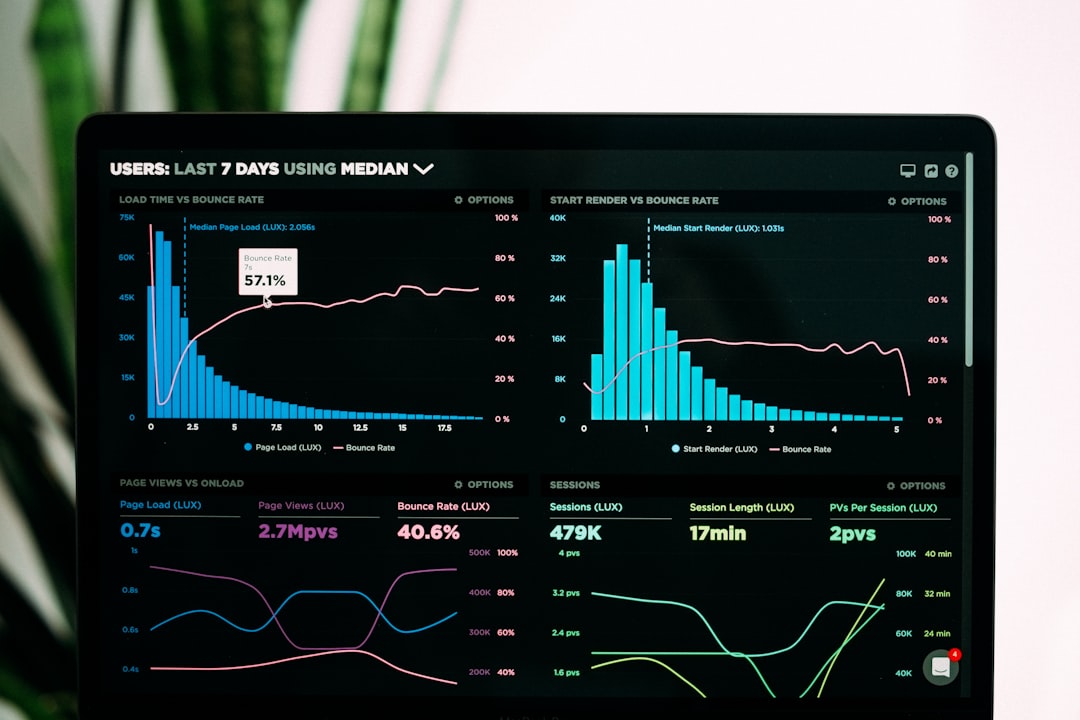
Key Features:
- Pixel-perfect session replay
- Automatic event tracking with no manual tagging
- Advanced search and segmentation tools
- Funnel and conversion analytics
- Error tracking and performance monitoring
What makes FullStory stand out is its search-first approach. Developers and product teams can filter sessions by user attributes, browser, device type, location, or specific error messages. This dramatically reduces the time spent identifying problematic sessions. Additionally, strong privacy controls ensure sensitive user data can be masked automatically.
FullStory is particularly well-suited for enterprises and product teams focused on optimizing user experience alongside debugging.
2. Sentry Session Replay
Sentry is widely recognized for its backend and frontend error monitoring. Its Session Replay feature extends that functionality by allowing teams to replay user sessions linked directly to captured errors.
Key Features:
- Integrated error tracking and stack traces
- Session replay tied to specific issues
- Performance monitoring (APM)
- Release tracking
- Strong support for modern frameworks like React, Vue, and Angular
The advantage of Sentry lies in its developer-first ecosystem. When an error is reported, developers can instantly view:
- The exact stack trace
- The user’s environment
- Network requests at the time of failure
- A replay of the user’s actions
This tight integration reduces tool sprawl and keeps debugging workflows centralized. For engineering-driven teams, Sentry is often a natural fit.
3. Smartlook
Smartlook focuses on qualitative analytics and session replay for both web and mobile apps. It provides detailed recordings while also offering event tracking and funnel analysis.


Key Features:
- Cross-platform support (web and mobile)
- Event-based filtering and analytics
- Conversion funnels
- Heatmaps
- Automatic event tracking
Smartlook’s session filtering options are particularly powerful. Teams can filter by custom events, user behaviors, or technical errors, making it easy to isolate friction points. It balances technical debugging with UX insights, making it ideal for product managers and developers alike.
One of its strengths is usability—its interface is intuitive even for non-technical stakeholders.
4. Replay.io
Replay.io takes a slightly different approach. Instead of traditional DOM-based session replay, it records the browser’s execution environment, enabling developers to step backward and forward through code execution.
Key Features:
- Time-travel debugging
- Deterministic recording
- Support for complex JavaScript applications
- Deep developer tooling
This tool is particularly useful for debugging elusive or intermittent bugs. Because Replay.io captures actual browser execution, developers can inspect variable states, set breakpoints after the fact, and analyze runtime behavior in unprecedented detail.
While it may not offer broad marketing analytics features, it excels in technical depth. Engineering teams dealing with highly interactive applications—such as SaaS platforms—often find Replay.io invaluable.
5. OpenReplay
OpenReplay is an open-source session replay and monitoring platform. It gives teams full control over their data by allowing self-hosted implementations.
Key Features:
- Session replay and error tracking
- Performance monitoring
- Network request logging
- Open-source and self-hosted options
- Integrations with developer tools
Data privacy is a major advantage here. Organizations that operate under strict compliance regulations (such as GDPR or HIPAA) can maintain complete control over user data.

Additionally, being open-source allows teams to customize the solution to meet specific use cases. However, it does require more setup and maintenance compared to fully managed SaaS platforms.
OpenReplay is best suited for teams that need flexibility, data control, and engineering customization.
6. Raygun (with Session Replay)
Raygun provides crash reporting, real user monitoring (RUM), and session replay capabilities. It’s particularly strong in performance diagnostics.
Key Features:
- Error and crash reporting
- Real User Monitoring metrics
- Session replay
- Deployment tracking
- Performance diagnostics
Raygun bridges the gap between performance monitoring and user session replay. Teams can identify performance bottlenecks, view Core Web Vitals, and then watch how those problems impact real users.
This holistic approach makes Raygun valuable for teams prioritizing speed optimization and reliability in addition to error resolution.
What To Look For In A Frontend Error Replay Tool
Not all replay tools are created equal. When evaluating options, teams should consider:
- Privacy Controls: Automatic masking of passwords, payment information, and personal data.
- Integration: Compatibility with frameworks like React, Angular, and Vue.
- Performance Monitoring: Built-in metrics such as load time and API latency.
- Error Linking: Automatic connection between session replays and logged errors.
- Scalability: Ability to handle high traffic volumes.
- Search and Filtering: Advanced segmentation tools to pinpoint issues faster.
Some teams prioritize enterprise-level analytics, while others need deep developer debugging features. Understanding your organization’s needs is crucial before committing.
Why Session Replay Tools Matter
Traditional error logs typically show what went wrong but not why. Frontend replay tools add context by revealing:
- User behavior before a crash
- UI elements interacted with
- Network calls during failure
- Performance slowdowns
This complete context dramatically reduces mean time to resolution (MTTR). Instead of requesting screenshots or attempting to reproduce vague bug reports, developers can watch the session unfold in real time.
Beyond debugging, session replay also contributes to:
- Improved user experience design
- Funnel optimization
- Conversion rate improvements
- Product analytics
In competitive markets, understanding user friction points can directly impact retention and revenue.
Conclusion
Frontend error replay tools have become essential for modern development workflows. Whether teams need enterprise-grade analytics like FullStory, tight error integration like Sentry, open-source flexibility like OpenReplay, or advanced debugging depth like Replay.io, there is a solution available for nearly every use case.
The right tool depends on the balance between debugging depth, analytics capability, scalability, and privacy requirements. By investing in session replay technology, organizations empower both engineers and product teams to build faster, more reliable, and more user-friendly applications.
FAQ
1. What is a frontend error replay tool?
A frontend error replay tool records user sessions and allows developers to replay them. It captures user interactions, console errors, network activity, and performance metrics to provide context around bugs and crashes.
2. Are session replay tools safe for user privacy?
Most modern tools include advanced privacy features such as data masking, field redaction, and consent management. However, proper configuration is essential to ensure compliance with regulations like GDPR and CCPA.
3. Do these tools affect website performance?
Most reputable platforms are optimized to minimize performance impact. While there is some overhead, it is typically small and managed through sampling or performance-conscious recording techniques.
4. Can frontend replay tools track mobile applications?
Yes. Tools like Smartlook and others offer support for both web and mobile environments, including native iOS and Android apps.
5. How are these tools different from traditional error logging systems?
Traditional error logging captures stack traces and server-side logs. Session replay tools go further by showing the exact user journey leading up to the error, providing visual and behavioral context.
6. Which tool is best for startups?
Startups often benefit from flexible and scalable solutions such as Sentry or Smartlook. Open-source options like OpenReplay may also be attractive for teams needing cost control and data ownership.