


Losing access to a Roblox account happens more often than people expect. Sometimes you forget the password. Other times, Roblox logs you out, or you notice activity that doesn’t look right. When that happens, resetting your Roblox password is the fastest way to get back in and protect your account. This guide explains the official reset methods and what to do if things don’t go as planned.
When Should You Reset Your Roblox Password?
There are a few clear signs that it’s time to reset your password. If you can’t sign in because you forgot it, a reset is the only option. Roblox does not show old passwords for security reasons.
Another reason is suspicious activity. If items disappear, settings change, or you see login alerts you don’t recognize, resetting the password helps stop further access. It’s also smart to reset if you logged in on a shared device or public computer.
How to Reset Roblox Password Using Email
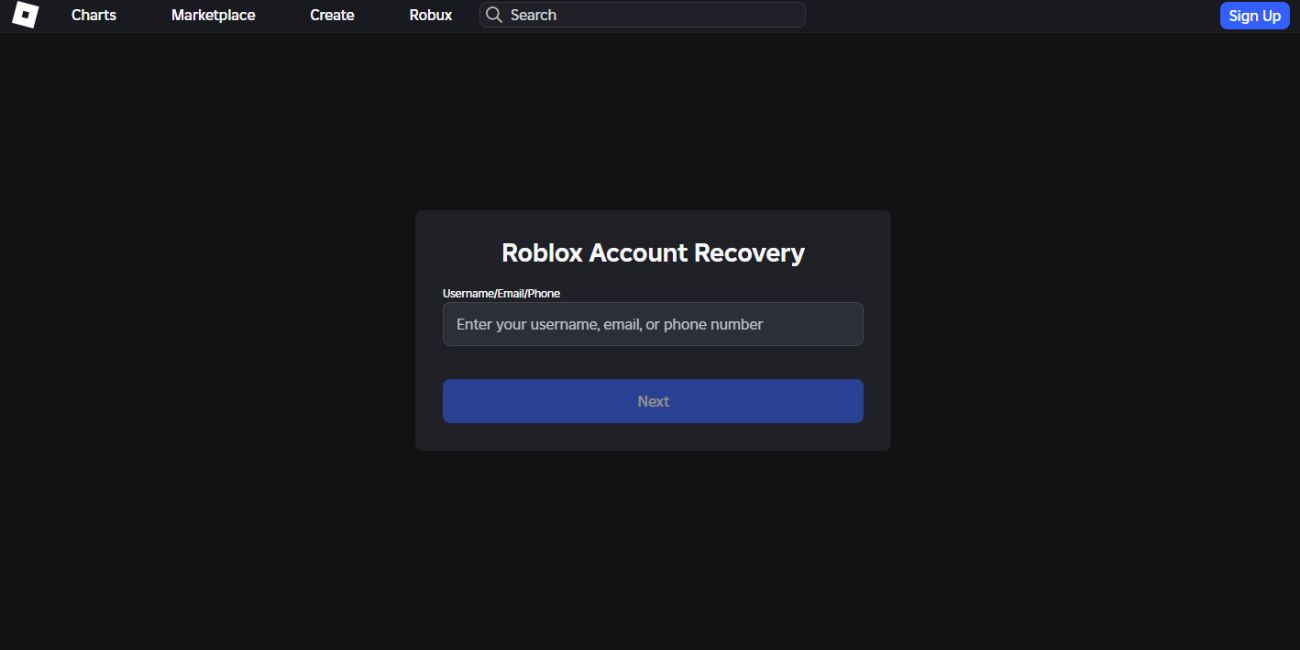

If your Roblox account has an email address attached, this is the easiest method.
Here are the steps you can follow:
- Go to the Roblox login page
- Click “Forgot Password or Username?”
- Choose the Email option
- Enter the email linked to your Roblox account
- Open the password reset email from Roblox
- Click the reset link
- Create a new password and confirm it
After saving the new password, you can log in right away.
How to Reset Roblox Password Using Phone Number
If your account uses a phone number instead of email, Roblox can send a verification code.
Follow these steps:
- Open the Roblox login page
- Click “Forgot Password or Username?”
- Select Phone Number
- Enter your phone number
- Receive the verification code by text
- Enter the code on the Roblox site
- Set a new password
Make sure the phone number is still active, or the code won’t arrive.
What If You Can’t Access Email or Phone?
This situation is more difficult, but it’s not impossible. If you no longer have access to the email or phone linked to your Roblox account, the automatic reset options won’t work.
In this case, you need to contact Roblox Support. You’ll be asked to provide details that help confirm account ownership, such as the username and past account information. Recovery can take time, so be patient and avoid sending multiple requests.
Resetting Roblox Password on Mobile vs PC
The reset process is the same on mobile and desktop. The Roblox mobile app usually opens a browser page for password recovery. On a computer, you complete the steps directly in your web browser.
No matter the device, Roblox uses the same security checks. The reset link or verification code works the same way on phones, tablets, and PCs.
What to Do After Resetting Your Roblox Password
Once you regain access, take a few extra steps to secure the account.
Helpful actions include:
- Log out of Roblox on all devices
- Turn on two-step verification in account settings
- Update your email or phone number if needed
- Check account activity and settings
These steps reduce the chance of future lockouts or misuse.
How to Keep Your Roblox Account Safe
A strong password makes a big difference. Use a password that you don’t use anywhere else and avoid simple words or numbers.
Be careful with emails or messages that claim to be from Roblox. Fake links are common and often lead to stolen accounts. Roblox will never ask for your password directly. Always check the website address before signing in.
Conclusion
Resetting your Roblox password is straightforward when you have access to your email or phone number. If you don’t, Roblox Support is the only safe recovery option. After resetting, taking a few security steps helps keep your account protected.
If this guide helped you get back into your Roblox account, share it with others who might be stuck. You can also leave a comment if you ran into a different issue during the reset process.