


Claude can show “API Error: 400 due to tool use concurrency issues” during coding work. This often happens in Claude Code when the assistant runs tools like Bash, file edits, or read commands.
The error looks scary, but it does not always mean your project is broken. In many cases, the active Claude session has a broken tool sequence, and you need to recover the conversation safely.
Quick Fix for Claude API Error 400
Start with the safest fix first. Save your current code changes before resetting anything.
Follow these steps:
- Save or copy your latest work
- Run /rewind in Claude Code
- Retry the request with a shorter prompt
- Let one tool action finish before asking again
- Restart Claude Code if the error returns
The /rewind command is usually the main fix because Claude Code itself suggests it for this error.
Why Claude Shows Tool Use Concurrency Error
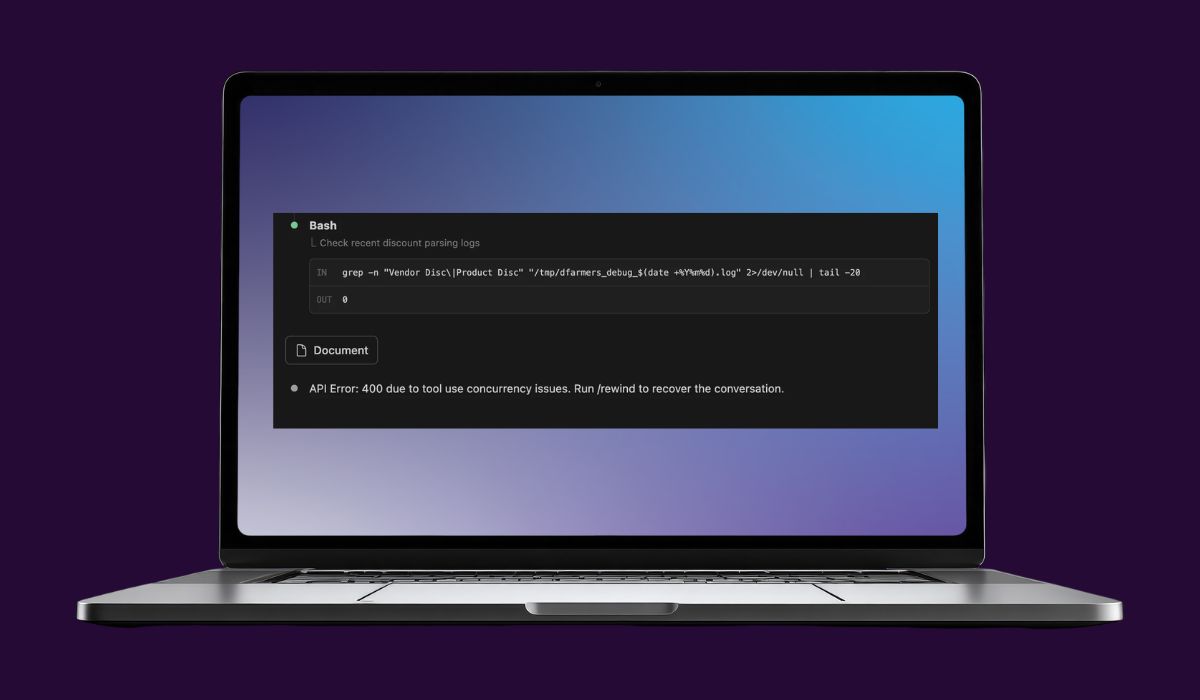

Claude uses tools during coding tasks. These tools may read files, edit code, run terminal commands, or inspect project folders.
A tool use concurrency error appears when Claude’s tool flow gets out of order. One tool call may not match the right tool result. The session then sends an invalid request, which causes API Error 400.
This can happen after a failed Bash command, interrupted output, repeated retries, or a long session with many tool actions.
What Tool Use Concurrency Actually Means
Tool use concurrency means Claude has trouble managing tool actions inside the same conversation. It may happen when one command is still processing while another action starts too soon.
Claude expects a clean order. It sends a tool call, receives the tool result, and then continues to the next response. When that order breaks, the conversation state can become invalid.
In simple words, Claude loses track of which result belongs to which tool action. That mismatch can trigger the 400 error.
When to Use the /rewind Command
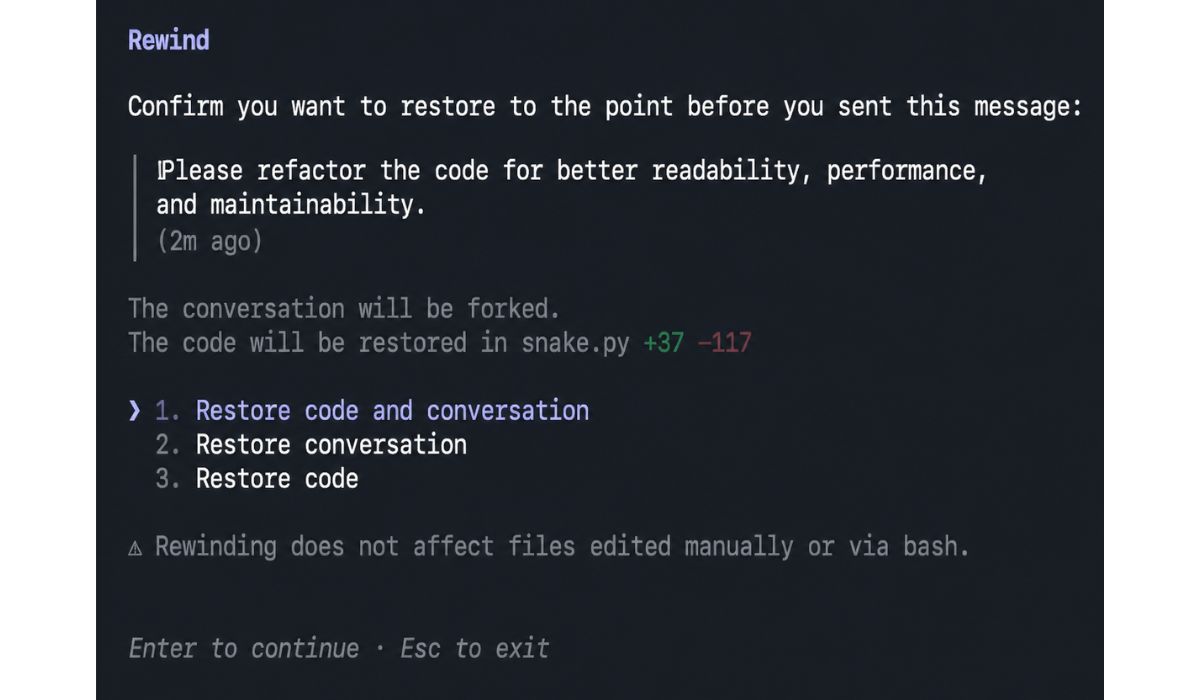
Use /rewind when the error message tells you to do it. This command moves the session back before the broken tool step.
It is useful when:
- Claude Code stops after a tool action
- The same API Error 400 repeats
- A Bash command or file edit caused the error
- The session cannot continue normally
- Retrying the same prompt does not help
Think of /rewind as undo for the conversation state. It does not replace Git, backups, or saved code.
If /rewind Does Not Work
Sometimes /rewind does not fully repair the session. This can happen when the tool history is already too messy.
Use this full recovery method:
- Save changed files
- Copy any useful Claude response
- Close the current Claude Code session
- Restart your terminal or IDE
- Open a fresh Claude Code session
- Explain the task again in a short prompt
- Ask Claude to inspect only the needed files
A fresh session removes the broken conversation history. This often fixes the problem faster than repeated retries.
Common Developer Mistakes That Cause This Error
This issue can appear even when the developer did nothing wrong. Still, some habits can increase the chance of seeing it.
Common triggers include:
- Asking for another task while a tool is still running
- Interrupting terminal output
- Retrying the same failed prompt again and again
- Running very long Claude Code sessions
- Mixing too many file edits and Bash commands at once
- Asking Claude to edit many files without clear steps
These actions can make the tool sequence harder to track.
How to Avoid This Error in Future
You cannot prevent every Claude Code bug, but a cleaner workflow helps a lot.
Use these habits:
- Run one major tool action at a time
- Wait for Bash output to finish
- Keep prompts short after heavy tool use
- Commit or back up code before big edits
- Restart long sessions after major tasks
- Avoid retrying spam after one failure
- Keep Claude Code updated
This keeps the session cleaner and lowers the chance of tool state problems.
Final Thoughts
Claude API Error 400 due to tool use concurrency issues is usually a session-state problem. Your code is not always the cause.
Start with /rewind, then retry with a smaller request. If that fails, save your work and move to a fresh session.
Have you seen this Claude error after Bash, file edits, or another tool action? Share what triggered it in your workflow.