


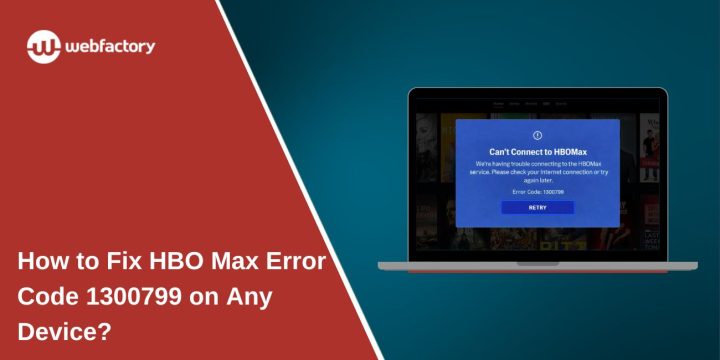
You open the app, choose something to watch, and expect it to play. But instead, streaming stops, and an error shows up. HBO Max error code 1300799 can break the moment fast. It feels confusing because the app itself loads fine.
This article explains what this error means, why it appears, and how you can reduce the chances of seeing it again. If this error caught you off guard, don’t worry. Let’s walk through it calmly.
What Is HBO Max Error Code 1300799?
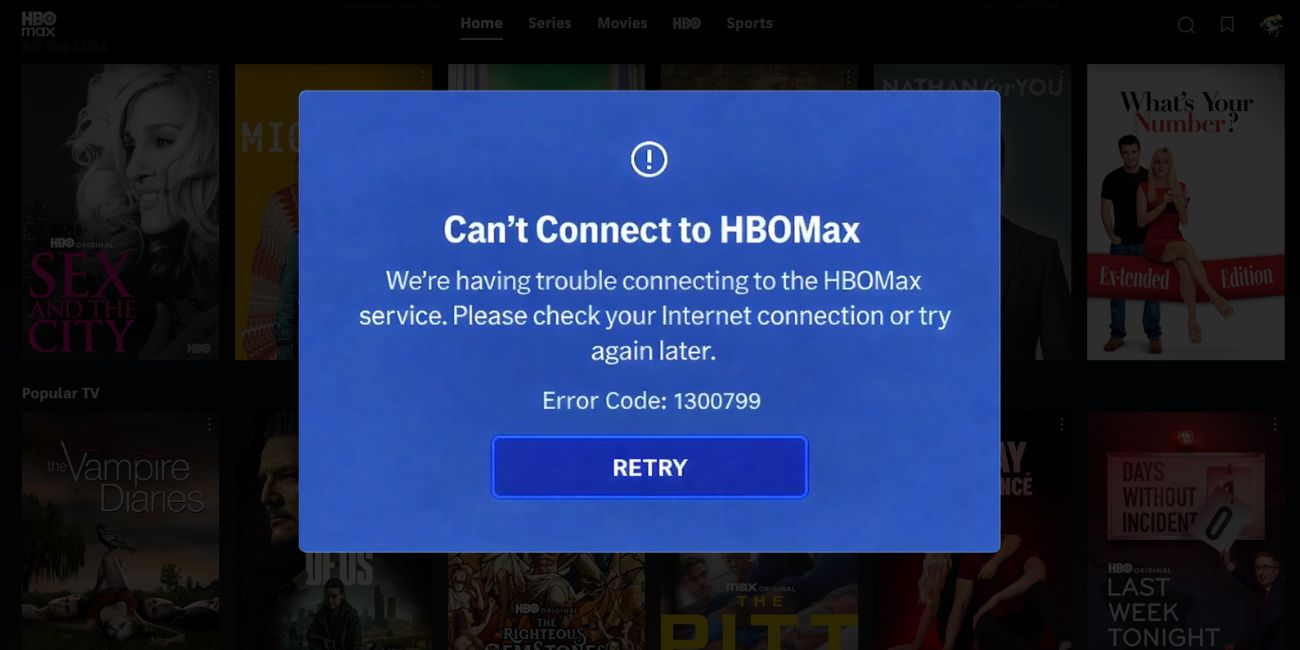

HBO Max error code 1300799 is a playback-related error. It shows up when the app or browser cannot start the video stream properly. In many cases, the app connects to your account and loads content pages, but the video fails at the final step. This usually points to a connection or validation issue between your device and streaming servers. It does not mean your subscription is inactive or your account is restricted.
You may see this error on Smart TVs, Android phones, iPhones, tablets, or web browsers on Windows and macOS. Most users notice it right after pressing play. Others see it during buffering or when the screen stays black for too long. The message looks the same across devices, even though the cause may vary.
Common Causes of HBO Max Error Code 1300799
This error does not come from a single problem. It can happen due to network behavior, app data issues, or temporary service problems. Sometimes the issue is on your side. Other times, it comes from outside your control. Understanding the common causes helps avoid repeated frustration.
Here are the most common reasons linked to error code 1300799:
- Unstable internet connection during video loading
- Temporary issues with streaming servers or content delivery systems
- Corrupted app cache or stored playback data
- Outdated HBO Max app version
- VPN or proxy interfering with streaming access
- Device or operating system compatibility issues
- Internet service provider routing or DNS problems
Each of these affects how video data is requested and delivered. When that process breaks, playback stops.
How to Fix HBO Max Error Code 1300799?
This error usually clears when the app, device, or network gets a proper refresh. Sometimes it’s a small connection hiccup. Sometimes a few things stack up and block playback. Because of that, go through these fixes in order. Try one fix, then play a video. If it still fails, move to the next.
Fix #1: Restart the HBO Max App
The app can look fine but still hold a broken playback session. When that happens, pressing play won’t start the video.
Close the app fully. Wait a few seconds. Open it again and try streaming. On phones and Smart TVs, this alone often clears the error.
Fix #2: Restart Your Streaming Device
Devices that stay on for long periods can build up background issues. These issues can interrupt the stream before it starts.
Here’s how you can restart your streaming device in just a few seconds:
- Turn off the device completely
- Unplug it from the power source
- Wait 30 to 60 seconds
- Plug it back in
- Turn the device on
- Open the app and try again
This clears memory conflicts and refreshes system processes.
Fix #3: Check Internet Connection Stability
Streaming needs a steady connection, not just internet access. Short drops during loading can trigger this error.
Here are the following steps which help you to check your internet connection:
- Disconnect your device from Wi-Fi
- Restart your router and modem
- Wait at least 30 seconds
- Reconnect your device
- Avoid background downloads
- Try streaming again on HBO Max
If playback works on mobile data but not Wi-Fi, the issue is likely your home network.
Fix #4: Clear HBO Max App Cache
Temporary files help the app load faster, but they can break over time. When cache data becomes corrupted, playback may fail.
Follow the steps below to easily clear the app cache:
- Open device settings
- Go to Apps or Applications
- Select HBO Max
- Open Storage
- Tap Clear cache
- Restart the app
- Try playing a video
This does not remove your account or subscription.
Fix #5: Turn Off VPN or Proxy Services
VPNs and proxy tools can interfere with streaming checks. When the app can’t confirm your network location, playback may stop.
Turn off any VPN or proxy running on your device. Reopen the app and try again. Many users see the error disappear right after disabling it.
Fix #6: Update the HBO Max App
Older app versions may not work well with current streaming systems. Updates often fix playback bugs and connection issues.
You can perform the following steps to update the app:
- Open your device’s app store
- Search for HBO Max
- Check if an update is available
- Install the update
- Restart your device
- Open the app and test playback
Keeping the app updated helps avoid repeat errors.
Fix #7: Check HBO Max Server Status
Sometimes the problem is not on your side. Streaming services can face outages, maintenance, or traffic spikes.
If servers are having trouble, local fixes won’t work. Waiting is the only option. Once service returns to normal, videos usually play again without any changes on your device.
Why This Error Often Appears During Loading?
Many users notice this error right when the loading circle spins. That moment is important. It’s when the app asks streaming servers for the video file. If the connection drops, slows down, or fails validation, the app stops the process.
Smart TVs and older devices face this more often. They have limited memory and slower background handling. Mobile devices usually recover faster, but they still depend on stable internet. Browsers add another layer, where extensions or outdated versions may interfere without warning.
How to Prevent HBO Max Error Code 1300799 in the Future?
Prevention won’t stop every streaming issue, but it helps reduce how often this error appears. These steps focus on keeping your setup stable and clean over time.
- Keep the HBO Max app updated on all devices
- Use a steady internet connection instead of switching networks often
- Avoid VPN or proxy services while streaming
- Restart your streaming devices regularly
- Keep your device operating system updated
- Use supported browsers and devices only
- Monitor network performance during peak hours
Conclusion
To summarize, HBO Max error code 1300799 is a playback issue linked to connection stability, app data, device limits, or temporary service problems. It may look serious, but in most cases, it isn’t permanent. Knowing why it happens makes it easier to deal with when it shows up.
If this article helped you, consider sharing it with someone else who streams on HBO Max. You can also leave a comment below and mention your device type. That small detail can help others find answers faster.