


In today’s fast-paced digital world, a strong brand presence is no longer optional — it’s essential. Whether you’re launching a startup, personal blog, or freelance service, creating a logo and matching website might seem like a multi-day endeavor. However, with the right approach and tools, you can pull it off in a single afternoon — without compromising on quality or professionalism.
TLDR:
If you need a brand presence quickly, don’t panic. You can create a polished logo and a fully functional, matching website in just a few hours using modern design tools and templates. Start with understanding your brand identity before moving on to visuals and layout, and choose tools that don’t require coding. Keep it simple, stay consistent, and launch with pride.
Step 1: Define Your Brand’s Core Identity (30 minutes)
Before you start designing anything, it’s critical to establish a strong sense of your brand. Even if you’re just testing an idea, some basic clarity around your brand will help you stay consistent and focused.
Ask yourself:
- What does my brand stand for?
- Who is my target audience?
- What tone do I want to convey — professional, playful, bold, minimal?
- What keywords best describe my brand?
Write down your answers and use them to guide the design process. This establishes a foundation for both your logo and website aesthetic.
Step 2: Design the Logo (30–45 minutes)
With your brand identity in mind, it’s time to create a logo that reflects that vision. Thanks to user-friendly tools, creating a professional-looking logo no longer requires a graphic design degree.
Use a Logo Maker
Online tools such as:
- Looka
- Canva
- Hatchful by Shopify
- LogoMakr
These platforms allow you to input your company name, choose your industry, select preferred aesthetics, and generate logo designs automatically. You can then customize fonts, icons, and colors to suit your needs.

Important considerations:
- Use a readable font — avoid overly fanciful script unless it suits your brand.
- Incorporate your chosen brand colors — you’ll carry these over to your website.
- Ensure versatility — your logo should look good in color, grayscale, and at various sizes.
Once finalized, download the logo files in multiple formats. Ensure you have at least a high-resolution PNG and a transparent background version.
Step 3: Choose a Platform for Your Website (10 minutes)
With your logo ready, it’s time to bring that visual language to life on a website. Choose a web platform that enables rapid launching without development skills, such as:
- Wix — Drag-and-drop simplicity, excellent for portfolios and personal sites.
- Squarespace — Beautiful templates, ideal for creatives and eCommerce.
- Webflow — More customization, great for those with extra design experience.
- Shopify — If you’re building a store, this is your go-to.
Select a template that aligns with the tone and structure of your brand. Focus on visually minimal starters that can be plugged into quickly.
Step 4: Customize the Website Design (40–60 minutes)
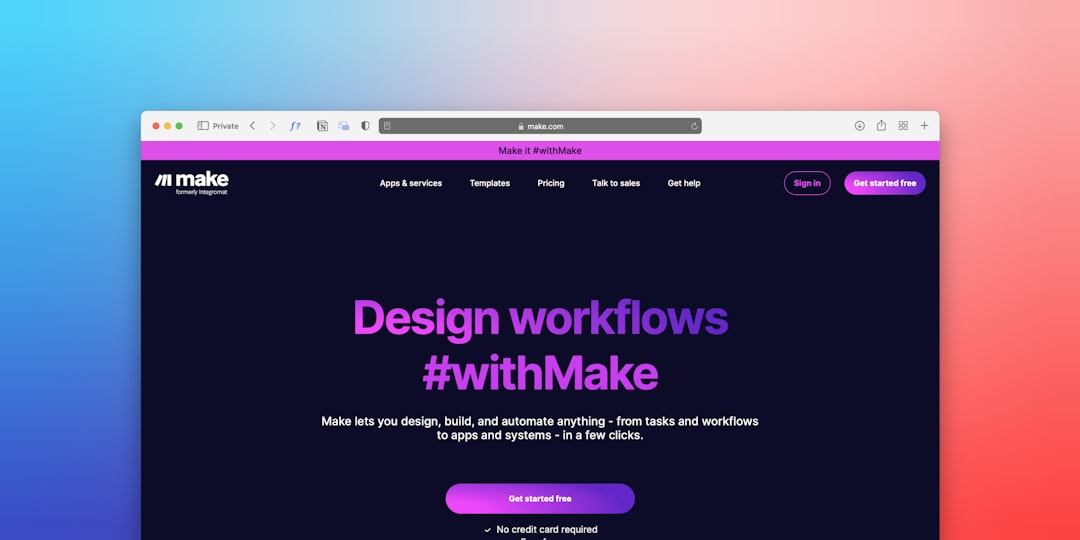
Now comes the part where your website becomes an extension of your logo and brand personality. Use the same color palette, font styles, and imagery direction from your logo design phase to maintain consistency. This sustains your brand identity and creates a professional appearance.
Essential updates to make:
- Change the template colors to match your logo’s scheme.
- Upload your logo graphics to the header and favicon section.
- Select complementary fonts that align with your logo’s typography.
- Replace placeholder text and images with your own content.

Website structure tip:
Keep it simple. For a one-afternoon project, start with a one-page scroll site or a homepage plus two internal pages. Here’s a basic structure:
- Homepage: Clear intro, headline, and call to action.
- About: A short story or background.
- Contact: Form, email, or social links.
If you’re offering a service or product, add a section or page for that specifically. Don’t try to do too much — clarity beats complexity any day, especially when time is limited.
Step 5: Optimize for Mobile and Basic SEO (15 minutes)
Most website builders automatically make your site responsive, but it’s good practice to double-check how it looks on mobile devices. Preview it in the editor on different screen sizes and adjust spacing, font size, or buttons as needed.
Quick SEO checklist:
- Set a page title and meta description on the homepage.
- Use proper header tags (H1 for main titles, H2 for subheadings).
- Rename images with descriptive file names — e.g., “modern-tech-logo.png,” not “IMG052.png.”


This basic setup helps search engines understand your site’s purpose and makes it easier for people to find your brand online.
Step 6: Launch and Share (10 minutes)
After your final design pass and mobile checkup, you’re ready to go live. Hit “publish” or connect your domain if you already own one. Most platforms also offer temporary subdomains until you’re ready to go full branding mode.
Now share your site:
- Post it to social media platforms where your audience is active.
- Drop the link in professional communities or Slack groups.
- Update your email signature with the new site link and logo.
A website only works for you if people can find it, so don’t be shy about showing it off.
Final Thoughts: Keep Momentum Going
Building a logo and a matching website in one afternoon is entirely doable — and often surprisingly fun. By focusing on essentials and consistency, you can accomplish something impressive in a very short time. But don’t stop there.
As you gather feedback and evolve your brand, revisit your logo and site. You can always refine details, improve copy, and enhance SEO. Today’s goal is progress, not perfection. A great brand is built in layers — and your first afternoon is an excellent start.