



Quick Answer: You can make a hologram out of an AI avatar by first creating an avatar video, then removing the background if possible, and finally showing it through the right display method. For most people, the easiest path is a hologram-style display such as a Pepper’s Ghost setup, not a true mixed reality hologram.
Introduction
A lot of people want to turn an AI avatar into a hologram, but the word hologram can mean different things. Some people want a floating stage effect. Others want a desk display, a retail kiosk, or an AR experience through a headset.
That is why this topic gets confusing fast. The avatar is only one part of the job. You also need the right background, the right video format, and the right display method. This guide explains how to make a hologram out of an AI avatar, which method is easiest, and how to get a cleaner result without wasting time or money.
How do you make a hologram out of an AI avatar?


The basic workflow is simple. Create an AI avatar video, prepare it for hologram use, and then display it with the right setup. In most cases, that means one of these paths:
- A Pepper’s Ghost-style hologram illusion
- A transparent display or kiosk screen
- A mixed reality headset experience
Most beginners do best with the first option because it is much easier and cheaper than mixed reality hardware. A true headset hologram is a different category. Microsoft explains that mixed reality holograms are digital objects placed into the user’s world through devices like HoloLens.
Why the word hologram causes confusion
This is the first thing you need to understand before building anything.
Many people say hologram when they really mean a floating visual illusion. That is often a Pepper’s Ghost-style display, a transparent projection setup, or a simple acrylic pyramid effect. A true mixed reality hologram is not the same. It is viewed through a headset that places digital content into real space.
Here is the simple difference:
| Type | What It Really Is | Best For |
|---|---|---|
| Pepper’s Ghost-style display | Reflection-based visual illusion | Events, booths, simple displays |
| Transparent display | Screen-based floating look | Retail, kiosks, product demos |
| Mixed reality hologram | Digital object seen through a headset | Training, AR experiences, advanced demos |
If your goal is a practical result fast, start with a hologram-style illusion. If your goal is an interactive digital object in physical space, then you are closer to mixed reality.
Start with the right AI avatar
The avatar comes first because the final hologram look depends on the source video.
Choose the right avatar type
Pick an avatar style that matches your final use:
- Talking presenter for education or marketing
- Full-body avatar for stage or kiosk displays
- Waist-up avatar for desk or booth setups
- Character avatar for entertainment or themed experiences
A clear presenter style usually works better than a very busy or exaggerated character. The cleaner the avatar, the easier it is to display as a hologram.
HeyGen supports several avatar types and also supports background removal for video avatars on paid plans, which is especially helpful for hologram-style workflows.
Keep the script short and clear
A hologram-style avatar usually works best with short lines and simple delivery. Long speech blocks feel heavy in booth displays, event loops, and retail screens.
Short content works better for:
- Welcome messages
- Product intros
- Event booth greetings
- Training prompts
- Brand explainers
Pick the right framing
Framing matters more than people expect.
A bust shot works well for small displays. A half-body shot works well for kiosks. A full-body avatar is better for larger stage illusions or transparent displays where the floating person needs more visual presence.
Remove the background before anything else
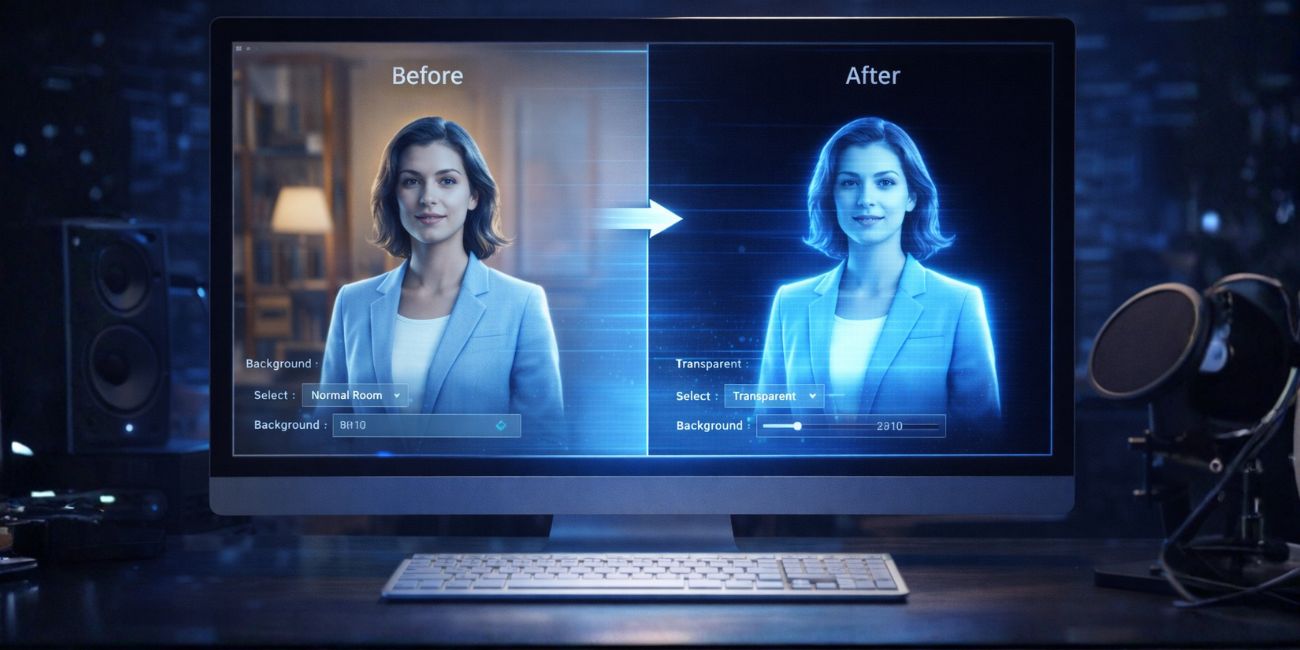
This is one of the most important steps in the whole process. If your avatar stays on a normal background, it will not look like a hologram. It will just look like a video playing on a screen. A clean transparent background or a strong black background gives you a much better floating effect.
Best option: transparent background
A transparent background is the most flexible choice because you can place the avatar over many different display types. It also makes compositing easier if you want to build a more polished hologram scene.
HeyGen’s help documentation says background removal is supported for video avatars on paid plans. That makes it a practical option for hologram-style content creation.
Second-best option: black background
If transparent export is not available, a black background can still work well for many hologram illusion displays. This is especially common in Pepper’s Ghost-style setups because dark areas blend away better and help the avatar appear to float.
This matters because not every AI avatar platform supports transparent export. Synthesia’s help content says its avatars are designed for use inside Synthesia projects and cannot currently be exported with a transparent background.
How to turn the avatar into a hologram-style video
Once your AI avatar is ready, prepare the video for the type of display you plan to use.
1. Export the avatar cleanly
Your video should be:
- High enough in quality to stay sharp on screen
- Framed for the display size
- Free from clutter behind the avatar
- Short enough to loop well if needed
If you have a transparent background option, use that first. If not, export with a dark or black background for better contrast.
2. Clean up the edges
This step gets ignored too often. If the avatar has rough edges, halos, or strange shadows, the hologram effect breaks fast.
Check for:
- Jagged outlines
- Dark edges around hair
- Background shadows
- Bad mouth or hand cutouts
A clean silhouette helps the avatar look far more believable once it is displayed.
3. Make the motion loop smoothly
Many hologram-style setups run in a loop. That means your avatar should start and end cleanly.
A good loop usually includes:
- A simple idle pose
- A short greeting
- A clear pause
- Minimal sudden motion
This is especially useful for retail kiosks, event booths, and lobby displays.
How to make a Pepper’s Ghost-style hologram from an AI avatar
This is the easiest path for most people and usually the best answer for beginners.
A Pepper’s Ghost-style display uses reflection and angle to create a floating visual illusion. It is not a true hologram, but it gives the effect many people want when they use that word.
1. Use a dark background or transparent source
The avatar should stand out clearly from the rest of the frame. A black background is common for this method because it disappears more easily in the final illusion.
2. Match the video to the display shape
Some pyramid-style displays need mirrored or repeated video layouts. Others need a single centered subject. The video layout must match the display design or the illusion will look wrong.
That means you may need to:
- Center the avatar carefully
- Resize the body to fit the visible area
- Duplicate the image for multi-sided pyramids
- Flip or mirror the composition when required
3. Control room lighting
Too much ambient light can ruin the effect. A darker room usually makes the floating illusion much stronger.
For better results:
- Reduce glare
- Avoid bright backlighting
- Keep the screen bright enough
- Test from the viewer’s main angle
Lighting often matters as much as the avatar itself.
How to use an AI avatar in a transparent display or kiosk
This method works well for stores, trade shows, and product demos.
A transparent screen setup makes the avatar appear to float in front of or behind a product or scene. This can look more polished than a simple acrylic pyramid, but it also costs more.
This method works best when:
- The avatar has a transparent background
- The display is bright enough
- The scene behind the screen is controlled
- The message is short and direct
A transparent kiosk can work very well for a digital presenter, product guide, or event host.
Can you use an AI avatar in mixed reality?
Yes, but this is a different workflow from a simple hologram illusion.
Microsoft describes HoloLens holograms as digital objects made of light and sound that appear in the world around the user. That means your avatar is not just reflected on a surface. It is placed into a spatial environment through the headset.
This option is better if you want:
- Interactive training
- Spatial placement in a room
- AR product demos
- Advanced branded experiences
This option is not the easiest starting point. It is stronger for teams building serious AR or XR experiences.
Best workflow for most beginners
If you want the simplest and most useful route, follow this process:
- Create an AI avatar with clean speech and simple framing
- Remove the background if your platform supports it
- Export the video in a clean format
- Choose a Pepper’s Ghost-style display or dark-background illusion setup
- Test lighting and screen brightness
- Adjust framing until the avatar looks like it is floating
- Build a short loop for repeat playback
This route is practical, realistic, and much easier than jumping straight into mixed reality hardware.
Common mistakes that make the hologram look bad
A lot of weak hologram projects fail because of small production problems.
Bad background handling
If the background is messy, the illusion looks cheap. A floating effect needs strong separation between the avatar and everything else.
- Poor framing
If the avatar is too small, too close, or cropped badly, the display loses impact. The person should feel placed, not squeezed into the frame. - Too much room light
Bright surroundings can wash out the image and kill the floating effect. - Long boring loops
A hologram-style avatar should be easy to watch and easy to repeat. Short loops feel more polished than long monologues. - Using the wrong platform for export
Not every avatar tool gives you the output you need. If you need transparent background support, make sure the tool can deliver it before you build the rest of the workflow.
Which setup should you choose?
The best method depends on your goal.
| Goal | Best Setup |
|---|---|
| Low-cost beginner project | Pepper’s Ghost-style display |
| Retail or booth presenter | Transparent display or kiosk |
| Interactive AR demo | Mixed reality headset |
| Fast social or event loop | Avatar video on dark background |
For most people, the first option is the easiest place to start.
Frequently Asked Questions (FAQs)
Do you need a transparent background to make an AI avatar hologram?
Not always, but it helps a lot. A transparent background gives you more flexibility. A black background can still work well for many hologram-style illusions.
What is the easiest hologram method for beginners?
A Pepper’s Ghost-style display is usually the easiest and most affordable route. It gives a floating effect without requiring advanced AR hardware.
Can you use an AI avatar with HoloLens?
Yes, but that is a mixed reality workflow, not a simple reflection-based hologram effect. HoloLens places digital content into the user’s environment through the headset.
Which AI avatar tools help with hologram use?
Tools that support clean avatar video and background removal are more useful for hologram-style workflows. HeyGen is one current example with background removal support for video avatars on paid plans.
Is a hologram pyramid the same as a real hologram?
Not really. It is usually a visual illusion rather than a true mixed reality hologram.
Final thoughts
Making a hologram out of an AI avatar is very possible, but the best method depends on what you mean by hologram. For most people, the smartest route is simple: create a clean AI avatar video, remove the background if you can, and use a hologram-style display that fits your budget.
If you want the fastest practical result, start with a short avatar clip and a Pepper’s Ghost-style setup. If you want a more advanced spatial experience, then mixed reality is the stronger path.
Leave a comment and share this: are you trying to build a stage-style hologram, a kiosk display, or an AR headset experience?