



Quick Answer: You can raise your vocal pitch with AI in two main ways. Use pitch shifting or pitch correction for singing, and use an AI voice changer for speech or character voices. The best results usually come from small pitch changes, clean audio, and formant control so the voice stays natural.
Introduction
A lot of people want a higher voice but are not trying to do the same thing. Some want to lift a sung note in a song. Others want their speaking voice to sound lighter, younger, softer, or more feminine. That is why this topic can get confusing fast.
AI can help, but the right method depends on the job. This guide explains how to raise vocal pitch with AI, which tools fit singing or speech, and how to avoid the thin, fake, or chipmunk-like sound that ruins the result.
How do you raise your vocal note pitch with AI?
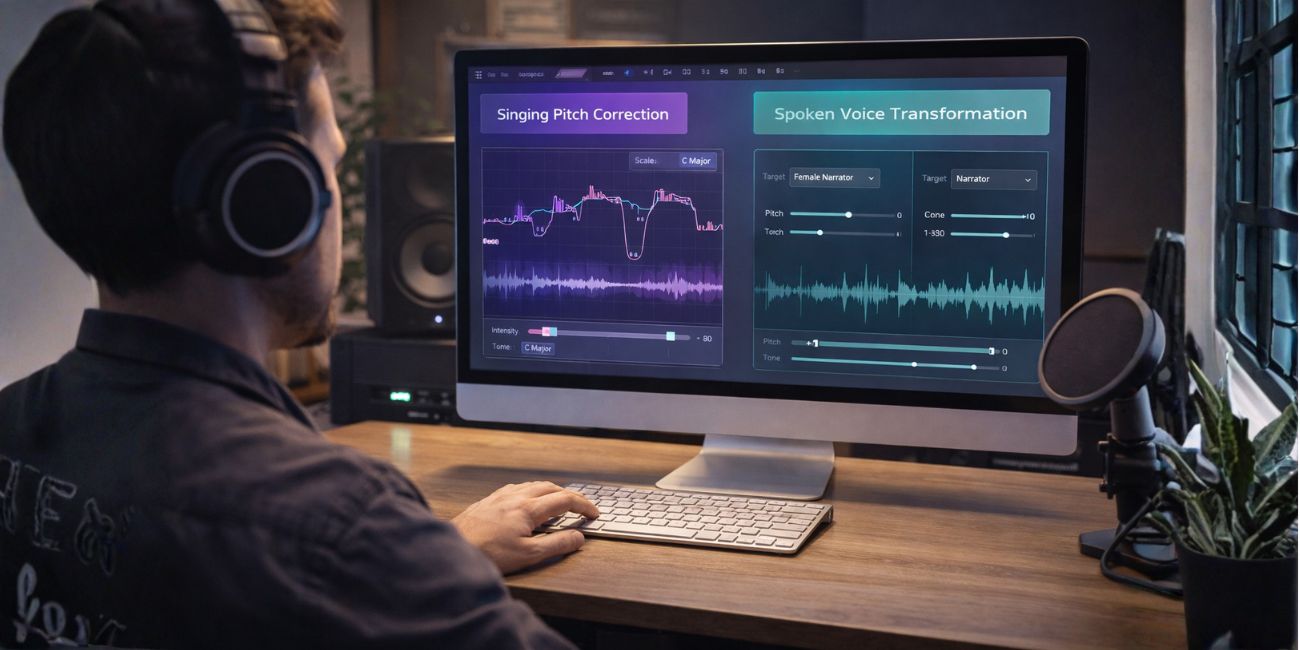

The fastest answer is simple. If you are working with sung vocals, use pitch shifting or pitch correction. If you want to change how a speaking voice sounds, use an AI voice changer or voice conversion tool. Adobe’s current audio documentation separates pitch shifting from pitch correction, while modern AI voice tools focus on transforming the voice while keeping expression and tone.
This difference matters because the wrong method often gives poor results. A singer trying to fix note pitch does not need the same workflow as a creator trying to make spoken dialogue sound higher.
What is the difference between pitch shifting, pitch correction, and AI voice changing?
These three terms sound similar, but they do different jobs.
| Method | Best For | What It Does | Main Risk |
|---|---|---|---|
| Pitch Shifting | Singing, audio effects | Raises or lowers pitch by semitones or cents | Can sound thin or artificial if pushed too far |
| Pitch Correction | Singing in key | Pulls notes toward the chosen key or scale | Can sound robotic if overused |
| AI Voice Changing | Speech, character voices, creator content | Changes the voice to a new target voice or higher style | Can lose identity or sound unnatural if the source audio is weak |
Adobe explains that Pitch Shifter changes pitch directly, while Automatic Pitch Correction adjusts notes toward a selected key. AI voice changers such as ElevenLabs focus more on transforming the voice while trying to preserve emotion and delivery.
So, if your goal is “make this sung note higher,” use pitch tools. If your goal is “make my whole speaking voice sound higher,” an AI voice changer usually makes more sense.
How to Raise a Sung Vocal Note Pitch with AI-assisted tools
If your recording is a sung vocal, this is the cleaner workflow.
1. Start with a clean vocal recording
Pitch tools work best when the vocal is dry and clear. Heavy room echo, loud background noise, and messy compression make pitch editing harder and more obvious.
Record the cleanest take you can. If needed, reduce noise before you raise pitch. That gives AI or pitch software a better signal to work with.
2. Raise pitch in small steps
This is where most people go wrong. They try to raise the vocal too much in one move.
Adobe’s pitch tools let you raise audio by semitones or cents, and +12 semitones equals a full octave. In practice, smaller moves usually sound far better than large ones.
A safer starting range is:
- 50 to 100 cents for subtle brightening
- 1 semitone for a gentle lift
- 2 semitones if the voice still sounds natural
Once you go beyond that, the chance of artifacts rises fast.
3. Use pitch correction if the real problem is accuracy
Sometimes you do not need a “higher voice.” You need a more accurate note.
Pitch correction is better when a vocal is close to the right pitch but not quite there. Adobe’s Automatic Pitch Correction effect is designed to guide notes toward a selected scale and key, which is useful for tuning rather than broad transformation.
That makes pitch correction a strong choice when the singer’s performance is mostly right and just needs help landing cleaner notes.
4. Preserve formants to keep the vocal natural
Pitch and formants are not the same thing. Pitch changes the note. Formants shape the tone and character of the voice.
Adobe’s documentation explains formant shifting and preserving speech characteristics, which is one of the most important quality controls when making a voice sound higher without making it sound cartoonish.
If your software gives you a formant option, use it carefully. Good formant handling helps the voice stay human instead of turning small pitch changes into a chipmunk effect.
How to Make a Speaking Voice Sound Higher With AI Voice Changers
If you are working with speech, narration, gaming, streaming, or character work, a voice changer is often better than classic pitch tools.
1. Record or upload clean speech

AI voice tools need a strong source file. Use a clean mic, reduce room echo, and avoid background fans, keyboards, or traffic sounds.
A better source recording gives the AI more detail to preserve. That usually means better clarity and a more believable higher voice.
2. Choose a lighter or higher target voice
Modern AI voice changers do more than simple pitch lifting. ElevenLabs, for example, lets users upload or record audio and transform it with another voice while trying to preserve emotional delivery and subtle traits.
This is helpful if you want:
- a softer speaking tone
- a brighter voice for content
- a higher character voice
- a more feminine or youthful sound
Instead of stretching your original audio too far, the model reshapes it toward a new voice style.
3. Adjust carefully and compare short samples
Do not process the whole file first. Test a short clip and compare the before and after versions.
Listen for:
- sharp “s” sounds
- hollow mids
- metallic texture
- lost emotion
- unnatural breathing or pacing
Small changes nearly always beat extreme ones. The more dramatic the transformation, the harder it is to keep the result believable.
How Many Semitones Should You Raise a Vocal?
Most people should start smaller than they expect.
Adobe’s pitch tools allow precise changes in semitones and cents, but precision matters because larger changes can introduce unwanted artifacts.
A practical guide looks like this:
- Up to 1 semitone: usually safe and natural
- 1 to 2 semitones: often still usable with good source audio
- Above 2 semitones: test carefully
- Large jumps: better handled by AI voice conversion than raw pitch shift
For spoken voice, a direct semitone target is less useful than choosing the right transformed voice and then making smaller tone adjustments.
How do you avoid the chipmunk effect?
This is the biggest fear people have, and for good reason. A bad pitch raise can make a voice sound tiny, squeaky, and fake.
The most common causes are:
- raising pitch too much
- ignoring formants
- using poor source audio
- pushing correction too hard
- processing a noisy recording
- choosing the wrong tool for the job
Adobe notes that different time and pitch settings can create artifacts such as tinny, tunnel-like, chorus, or stutter effects if the settings are pushed too far. It also points to higher precision settings as a way to improve quality.
The best way to avoid this problem is simple. Use clean audio, make smaller changes, preserve formants, and stop as soon as the voice starts sounding less human.
Best tool types for raising vocal pitch with AI
The best tool depends on the result you want.
Best for sung vocals
Use AI-assisted or digital pitch tools inside audio software when you need to raise notes, tune a melody, or polish a performance.
Good fit for:
- songs
- vocal comping
- melody correction
- harmony shaping
- demo cleanup
Adobe Audition fits well here because it supports both pitch shifting and pitch correction workflows.
Best for spoken voice transformation
Use AI voice changers when your goal is not just “higher notes,” but a different speaking sound.
Good fit for:
- YouTube voiceovers
- gaming characters
- roleplay voices
- streaming content
- social media skits
ElevenLabs and similar tools fit this category because they are built around voice transformation, not only note editing.
Should you use AI voice conversion or standard pitch shifting?
Use standard pitch shifting when:
- You are editing sung notes
- You want a small lift
- You already like the original voice
- You need note-level control
Use AI voice conversion when:
- You want a higher speaking voice
- You want a new character sound
- You need a broader voice identity change
- Normal pitch shifting sounds fake
That choice alone solves a lot of frustration. Many bad results come from using a music tool for a speech problem, or a speech tool for a singing problem.
A simple workflow that works for most people
If you are not sure where to start, follow this order:
- Record clean audio
- Decide whether the audio is singing or speech
- Choose pitch shifting, pitch correction, or AI voice changing
- Start with a short sample
- Raise pitch in small steps
- Preserve formants if possible
- Compare before and after
- Export only when the result still sounds natural
This saves time and helps you catch problems early.
Frequently Asked Question (FAQs)
Can AI make my voice sound higher?
Yes. AI tools can raise sung pitch, correct notes, or transform a speaking voice into a higher-sounding version depending on the tool and method used.
Is pitch correction the same as pitch shifting?
No. Pitch shifting moves the audio pitch up or down directly. Pitch correction pulls notes toward the correct key or scale.
How many semitones can I raise before it sounds fake?
Often, 1 to 2 semitones is a safer range. Bigger jumps can work, but they usually need stronger tools, better formant handling, and careful listening.
What causes the chipmunk effect?
It usually happens when the pitch is pushed too high without preserving the vocal character, or when the source audio is weak and the tool introduces artifacts.
Is an AI voice changer better for speech?
Usually, yes. If your goal is a higher speaking or character voice, AI voice changers tend to sound more natural than simple pitch shifting.
Final thoughts
Raising your vocal note pitch with AI is absolutely possible, but the best method depends on what kind of voice you are editing. Singing usually needs pitch shifting or pitch correction. Speech usually needs AI voice conversion.
The smartest move is to stay subtle. Start with clean audio, make small changes, preserve formants, and test short clips before you commit to the final sound. That is how you get a higher voice without losing the human feel.
Leave a comment and share this: are you trying to raise a singing vocal or a speaking voice?