


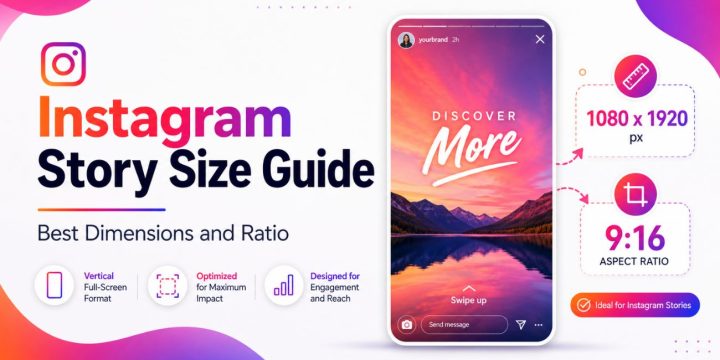
Quick Answer: The best Instagram Story size is 1080 x 1920 pixels with a 9:16 aspect ratio. This vertical size fills the full phone screen. For cleaner results, keep important text, logos, and buttons away from the very top and bottom because Instagram’s interface can cover them.
You design an Instagram Story, upload it, and then something looks wrong. The text is too close to the edge. The photo is cropped. The video looks blurry. Or even worse or maybe your logo is hiding behind the reply bar.
It happens a lot…
Instagram Stories are made for full-screen vertical viewing, so the size matters. If your image or video is too small, too wide, or not in the right shape, Instagram may stretch, crop, or compress it. Using the right Instagram Story dimensions helps your content look sharper and more professional.
The good news is simple: once you know the right size and safe zone, Stories are much easier to design.
Instagram Story Size and Dimensions
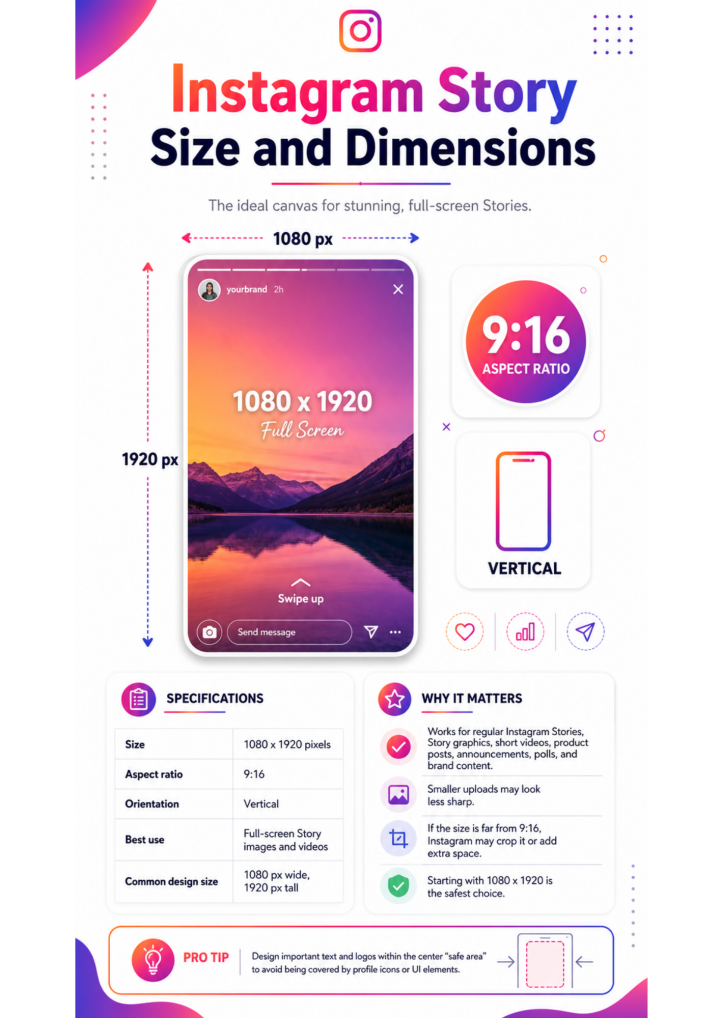

The recommended Instagram Story dimensions are 1080 pixels wide by 1920 pixels tall. This creates a tall vertical layout that fits most phone screens well.
The aspect ratio is 9:16, which means the Story is much taller than it is wide. This is the same general shape used for many vertical videos and full-screen mobile posts.
| Instagram Story Spec | Recommended Setting |
|---|---|
| Size | 1080 x 1920 pixels |
| Aspect ratio | 9:16 |
| Orientation | Vertical |
| Best use | Full-screen Story images and videos |
| Common design size | 1080 px wide, 1920 px tall |
This size works for regular Instagram Stories, Story graphics, short videos, product posts, announcements, polls, and most brand content.
You can upload smaller images or videos, but they may not look as sharp. If the size is too far from 9:16, Instagram may crop it or add extra space around it. That’s why starting with 1080 x 1920 is the safest choice.
Instagram Story Image Size
For a static Story image, design your graphic at 1080 x 1920 pixels. This is the best canvas size for photos, quote graphics, sale posts, event announcements, and simple brand updates.
Good image formats include:
- JPG for regular photos and simple graphics
- PNG for sharper text, logos, or transparent design elements
- HEIC if you’re posting directly from some phones
If you use Canva, Photoshop, Figma, or another design tool, choose a custom size of 1080 width and 1920 height. Many tools also have Instagram Story templates ready to use, which makes it easier.
Keep your text large enough to read on a phone. Tiny text may look okay while designing on a laptop, but it can become hard to read after upload. Also, avoid putting important details at the very top or very bottom. That space is not always safe.
Instagram Story Video Size
Instagram Story videos should also use 1080 x 1920 pixels and a 9:16 vertical format. This gives the video a full-screen look without awkward black bars or heavy cropping.
For videos, the common file formats are:
- MP4
- MOV
A vertical video works best because people watch Stories on their phones. If you upload a horizontal video, Instagram may shrink it, crop it, or place it inside a vertical frame. It can still work, but it usually doesn’t feel as clean.
Try to record or edit your video in vertical format from the start. This helps you frame the subject better. For example, if you’re filming a product, person, room, or event, leave some space at the top and bottom so text and stickers don’t cover the main focus.
If your Story video looks blurry, the problem may be low resolution, heavy compression, bad lighting, or saving the file too many times before uploading. Start with a clean video and export it at the right size when you can.
Instagram Story Safe Zone
The Instagram Story safe zone is the part of the screen where your important content is less likely to be covered by Instagram’s buttons and labels.
Even though the full Story size is 1080 x 1920 pixels, you should not treat every pixel as safe. Instagram places interface elements over your Story. At the top, viewers may see your profile photo, username, and Story progress bar. At the bottom, there may be a reply bar, share button, sticker area, or call-to-action button for ads.
A simple rule is this: keep key text, logos, faces, product details, and buttons closer to the center of the Story.
Leave extra space:
- Near the top edge
- Near the bottom edge
- Around corners
- Around any place where you plan to add stickers or captions
You don’t need to panic over exact pixels every time. But if you’re designing a brand post, ad, sale graphic, or event notice, safe zones matter a lot. A discount code hidden behind a button is not helpful. A logo cut off at the top looks messy too.
Instagram Story Size for Ads
Instagram Story ads usually use the same vertical format: 1080 x 1920 pixels with a 9:16 ratio. So if you already design regular Stories at this size, you’re starting in the right place.
But ads need extra care. Story ads often include buttons, labels, and call-to-action areas. These can cover the bottom part of the creative. If your main message is too low, people may miss it.
For Story ads, keep these items inside the safe area:
- Main headline
- Product image
- Logo
- Offer or discount code
- Call-to-action text
- Important legal or promo details
It’s better to place your strongest message in the middle third of the Story. That area is usually easier to see and less crowded. Keep the design clean too. Ads with too much text can feel busy on a small screen.
Instagram Story Size vs Reels and Feed Posts
Instagram has several content sizes, so it’s easy to mix them up. Stories and Reels are both vertical, but feed posts can be square, portrait, or landscape.
Here’s a simple comparison.
| Instagram Format | Best Size | Aspect Ratio | Best Use |
|---|---|---|---|
| Instagram Story | 1080 x 1920 px | 9:16 | Full-screen temporary content |
| Instagram Reel | 1080 x 1920 px | 9:16 | Vertical video content |
| Square feed post | 1080 x 1080 px | 1:1 | Simple image posts |
| Portrait feed post | 1080 x 1350 px | 4:5 | Taller feed images |
| Landscape feed post | 1080 x 566 px | About 1.91:1 | Wide photos or graphics |
Stories and Reels may share the same basic size, but the screen layout is not always the same. Reels often have icons, captions, and buttons on the side or lower area. Stories usually have a top profile area and bottom reply area.
So yes, you can often reuse a vertical design. Just check that your text is not blocked.
How to Resize Content for Instagram Stories
If you already have a photo, graphic, or video, you can resize it for Instagram Stories. You don’t always need to start over.
1. Open a 1080 x 1920 canvas
Start with the correct Story canvas in your design tool. This gives you the right vertical shape from the beginning. If you use Canva, search for an Instagram Story template or create a custom size with 1080 width and 1920 height.
2. Place your image or video inside the canvas
Add your photo or video and fit it into the frame. If it’s horizontal, you may need to crop it, zoom in, or add a background. Don’t force it to stretch, because stretched content usually looks bad.
3. Keep the main subject visible
Make sure faces, products, logos, or important objects are not too close to the edge. If the image feels crowded, zoom out or add background space. This gives your Story some breathing room.
4. Add text inside the safe zone
Put your headline, date, offer, or message away from the top and bottom edges. Text should be easy to read quickly. People often tap through Stories fast, so don’t make them work too hard.
5. Export and check before posting
Export the file in a clean format like JPG, PNG, MP4, or MOV. Then preview it on your phone if possible. A design can look perfect on a desktop but feel too small on a mobile screen.
Common Instagram Story Size Mistakes
One common mistake is using a square image as a Story without adjusting it. A square post can leave empty space or get awkwardly zoomed. If you want it to look full-screen, place it on a 1080 x 1920 canvas and design around it.
Another mistake is putting text too low. The bottom of a Story is not the best place for key details. The reply bar or buttons may cover it. Move important text higher, but not all the way to the top.
Low-resolution screenshots can also look blurry. Screenshots may be easy, but they are not always the best quality. If you can, use the original photo, video, or design file instead.
Horizontal videos are another issue. They can work, but they often look smaller on Stories. If you need to use one, add a background, headline, or design frame so it feels intentional.
Too much text is a problem too. Instagram Stories move quickly. A crowded Story with tiny text may get skipped. Keep the message clear and short.
Best Design Tips for Instagram Stories
A good Instagram Story is easy to understand and fast. People should know what you’re showing or saying within a second or two.
Use strong contrast between text and background. White text on a very light image is hard to read. Dark text on a busy photo can also disappear. Add a simple shape, shadow, or background layer if needed.
Keep your design focused. One Story should usually have one main idea. That might be a sale, a quote, a poll, a new product, a behind-the-scenes clip, or a quick update.
Also leave room for Instagram’s built-in tools. Stickers, polls, question boxes, links, and captions can make Stories more engaging, but they need space. Don’t design every inch before adding them.
For brands, use the same colors, fonts, and logo style often. This helps people recognize your Stories faster. Still, don’t make every Story look exactly the same. A little variety keeps things from feeling stale.
FAQ About Instagram Story Size
What is the best Instagram Story size?
The best Instagram Story size is 1080 x 1920 pixels. This uses a 9:16 aspect ratio, which fits the full vertical screen on most phones.
What is the Instagram Story aspect ratio?
The Instagram Story aspect ratio is 9:16. This means the Story is vertical and much taller than it is wide.
Can I post a square image to Instagram Stories?
Yes, you can post a square image, but it may not fill the screen well. For a cleaner look, place the square image on a 1080 x 1920 Story canvas and add a background or design elements.
Why is my Instagram Story blurry?
Your Instagram Story may look blurry because the file is too small, heavily compressed, poorly lit, or saved too many times. Use a high-quality image or video and export it at 1080 x 1920 pixels when possible.
Is Instagram Story size the same as Reels?
Instagram Stories and Reels both commonly use 1080 x 1920 pixels and a 9:16 ratio. But their interface overlays are different, so check text and logos before reusing the same design.
What Canva size should I use for Instagram Stories?
Use 1080 x 1920 pixels in Canva. You can also choose Canva’s Instagram Story template, which is already set to the correct vertical format.
Final Thoughts
The best Instagram Story size is 1080 x 1920 pixels with a 9:16 aspect ratio. That size helps your images and videos fill the screen cleanly. But size is only part of it. Keep your text, logos, products, and key details inside the safe zone so Instagram’s buttons don’t cover them.
What do you usually create Stories for: personal updates, business posts, ads, or Instagram captions?