


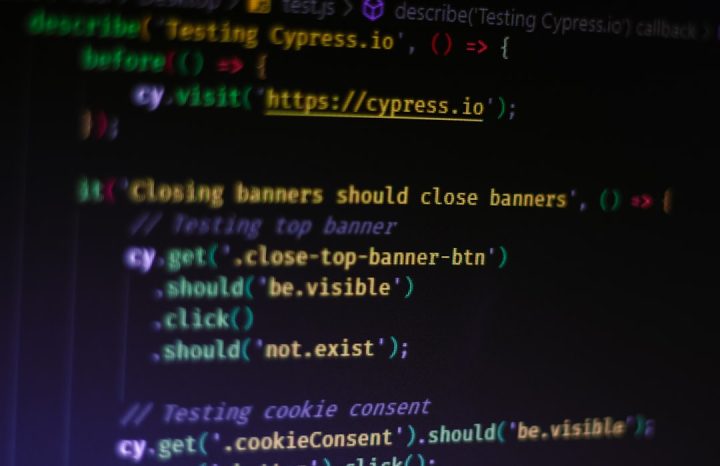
User interface (UI) testing automation tools have become essential in modern web development, especially for teams building complex, interactive applications. As applications grow in size and functionality, manually testing every feature and workflow becomes inefficient and error-prone. This is where tools like Cypress step in, offering streamlined, reliable end-to-end (E2E) testing that simulates real user behavior within the browser.
TLDR: UI testing automation tools like Cypress allow development teams to automatically test web applications from the user’s perspective. Cypress stands out for its speed, real-time reloading, clear debugging capabilities, and developer-friendly setup. By integrating end-to-end testing early and throughout the development cycle, teams can reduce bugs, accelerate releases, and ensure a consistent user experience. Automated UI testing is no longer optional for serious web applications—it is a critical part of modern software quality assurance.
Understanding UI Testing and End-To-End Testing
UI testing focuses on validating the visual and interactive elements of an application. It ensures that buttons, forms, links, and dynamic components behave correctly. Instead of merely verifying backend logic or API responses, UI testing examines what users actually see and experience.
End-to-end (E2E) testing goes a step further. It tests entire user journeys—from login to checkout, from dashboard interactions to form submission—ensuring that all integrated components of the system function together properly.
For example, an E2E test might:
- Open the homepage
- Click the login button
- Enter credentials
- Verify successful authentication
- Navigate to a user dashboard
- Confirm that specific data is displayed
Unlike unit tests that validate isolated logic, E2E tests focus on real-world behaviors. Because they replicate user flows, they provide strong confidence that an application is functioning as intended.

Why Automation Matters in UI Testing
Manual testing has several limitations:
- It is time-consuming
- It does not scale well
- It is prone to human error
- It becomes expensive as applications grow
Automation solves these challenges by enabling repetitive test scenarios to run automatically and consistently. Once written, automated tests can execute hundreds or thousands of times without additional effort.
Key benefits include:
- Faster feedback loops: Developers receive immediate feedback after changes.
- Improved reliability: Automated tests eliminate inconsistencies caused by manual testing.
- Continuous integration support: Tests run automatically in CI/CD pipelines.
- Regression protection: Previously working features remain protected from unintended changes.
In fast-paced agile environments, automated UI testing ensures teams can iterate quickly without sacrificing quality.
What Makes Cypress Unique?
Cypress has emerged as one of the most popular tools for E2E UI testing in modern JavaScript applications. Unlike traditional testing frameworks that rely on complex driver architectures, Cypress runs directly inside the browser alongside the application.
This architectural choice offers several advantages:
- Faster execution speeds
- Automatic waiting mechanisms
- Real-time reloading
- Clear debugging tools
Because Cypress operates within the browser, it has native access to application events and network traffic. This makes it especially powerful for testing modern, dynamic applications built with frameworks like React, Vue, or Angular.
1. Developer-Friendly Setup
One of Cypress’s biggest strengths is how easy it is to set up. Installation typically requires a simple package manager command. Tests are written in JavaScript, reducing the learning curve for front-end developers.
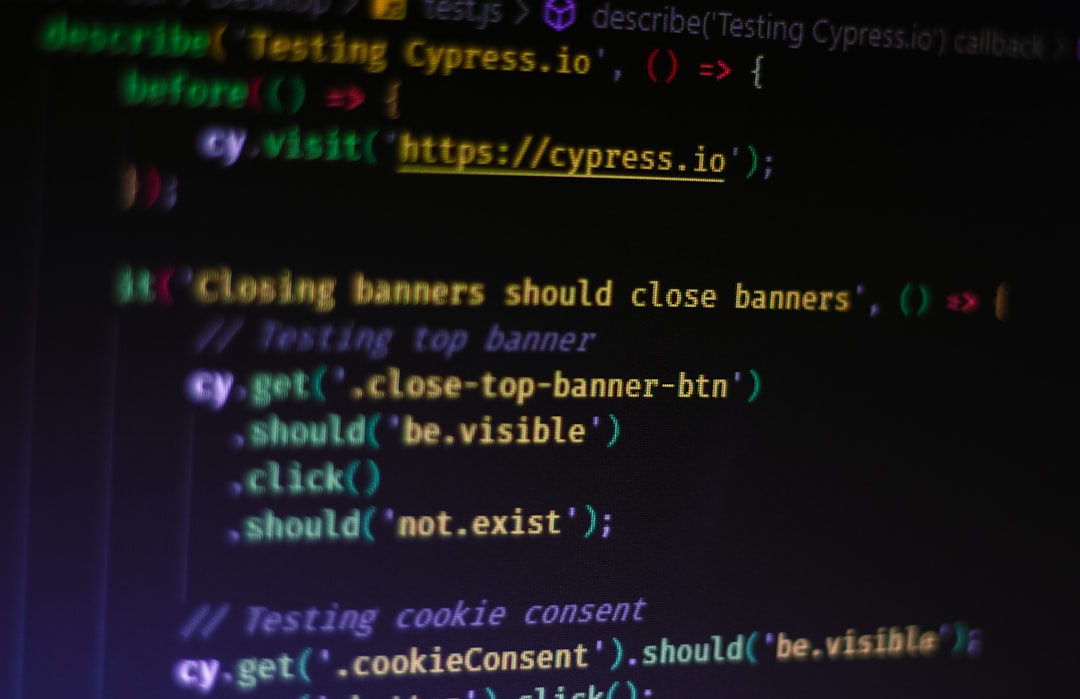
Its straightforward syntax allows tests to read almost like natural language:
- Visit a page
- Find an element
- Click the element
- Assert expected behavior
This readability encourages broader team participation in testing.
2. Real-Time Test Runner
Cypress includes an interactive test runner that visually displays tests as they execute. Developers can watch each action—clicks, form inputs, navigation—while inspecting the application state.
The tool provides:
- Time-travel debugging
- Automatic screenshots on failure
- Detailed error messages
These features significantly reduce debugging time compared to traditional black-box testing tools.

3. Automatic Waiting and Retry Logic
Traditional UI testing tools often require explicit waits and timeouts. Poorly handled timing issues can cause flaky tests that pass sometimes and fail other times.
Cypress automatically waits for elements to appear and conditions to be met before proceeding. This built-in retry logic helps ensure stability and reduces the maintenance burden.
Integrating Cypress Into CI/CD Pipelines
Modern development relies on continuous integration and continuous deployment (CI/CD). Tests must run automatically whenever code changes are pushed.
Cypress integrates seamlessly into major CI platforms. Teams can configure their pipelines to:
- Install dependencies
- Build the application
- Launch test environments
- Run E2E test suites
- Generate reports
If tests fail, deployments can automatically halt. This prevents defective code from reaching production environments.
Parallelization features allow multiple test files to run simultaneously, significantly reducing total test execution time.
Best Practices for Using Cypress Effectively
While Cypress simplifies many aspects of UI testing, following best practices ensures long-term maintainability and scalability.
Keep Tests Independent
Each test should run independently without relying on the outcome of other tests. This improves reliability and allows parallel execution.
Avoid Over-Testing UI Details
Tests should focus on user-visible behavior rather than internal implementation. Overly specific UI assertions can break unnecessarily during minor visual updates.
Use Data Attributes for Selectors
Relying on classes or IDs intended for styling can create brittle tests. Instead, many teams use dedicated data attributes for selecting elements during testing.
Mock External Dependencies When Appropriate
Intercepting and mocking network requests helps isolate application behavior while improving speed and reliability.

Challenges and Limitations
Despite its strengths, Cypress is not without limitations.
- Browser support constraints: While expanding, support may not match older multi-browser tools.
- Not ideal for multi-tab scenarios: Testing interactions across multiple browser tabs can be complex.
- Test maintenance overhead: Even automated tests require updates as applications evolve.
Additionally, writing comprehensive E2E tests for every possible scenario can increase test execution time. Teams must strike a balance between coverage and efficiency.
Cypress vs. Other UI Testing Tools
Although Cypress is popular, it is part of a broader ecosystem of UI testing tools.
Compared to more traditional browser automation tools:
- Cypress often offers faster setup and cleaner debugging.
- Its architecture reduces common flakiness issues.
- It is deeply optimized for modern JavaScript applications.
However, some alternative tools may provide broader cross-browser coverage or support for additional environments such as mobile or legacy systems.
Choosing the right tool depends on:
- Project requirements
- Team expertise
- Browser compatibility needs
- Testing scale
The Future of UI Testing Automation
As web applications continue to evolve, so too will automation tools. Trends shaping the future include:
- AI-enhanced test maintenance
- Visual regression testing
- Improved cross-browser automation
- Deeper CI/CD integrations
Tools like Cypress are continually updating to meet the demands of increasingly interactive, real-time applications. With the rise of micro-frontends, serverless functions, and dynamic APIs, comprehensive testing frameworks are becoming even more critical.
Ultimately, UI testing automation is not just about catching bugs—it is about ensuring consistent, reliable user experiences across devices and environments.
Conclusion
UI testing automation tools like Cypress have transformed how teams approach quality assurance in web development. By simulating real user behavior through end-to-end testing, these tools provide confidence that applications work as intended—from the first click to the final transaction.
Cypress stands out because of its developer-centric design, real-time debugging capabilities, automatic waiting features, and seamless CI integration. While no tool is without limitations, incorporating automated UI testing into the development lifecycle significantly reduces risk and enhances product reliability.
In a digital environment where user expectations are high and competition is fierce, automated E2E testing has become a foundational component of delivering exceptional software.
Frequently Asked Questions (FAQ)
1. What is the difference between unit testing and end-to-end testing?
Unit testing focuses on individual functions or components in isolation. End-to-end testing validates complete user flows, ensuring that all integrated parts of the application work together correctly.
2. Is Cypress suitable for beginners?
Yes. Cypress is widely considered beginner-friendly due to its simple setup, readable syntax, and interactive test runner that assists with debugging and learning.
3. Can Cypress be used for API testing?
While primarily designed for UI testing, Cypress can interact with APIs, intercept network requests, and validate responses, making it useful for basic API validations within E2E workflows.
4. How does Cypress reduce flaky tests?
Cypress automatically waits for elements and conditions before executing actions. Its built-in retry logic minimizes timing-related failures that commonly cause flaky tests.
5. Should every feature have an end-to-end test?
Not necessarily. Critical user journeys and high-risk features should be prioritized. A balanced testing strategy typically includes unit tests, integration tests, and selective E2E tests.
6. How often should automated UI tests be run?
Ideally, automated UI tests should run on every pull request and within the CI/CD pipeline before deployment to staging or production environments.