


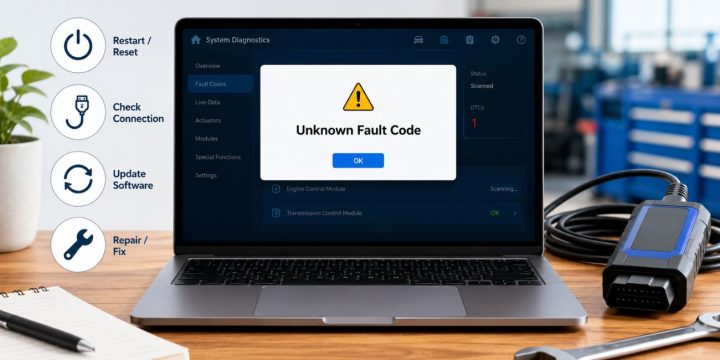
Quick Answer: An unknown fault code occurs when your device, app, vehicle system, appliance, or software encounters an error it cannot clearly identify. To resolve it, write down the exact code, restart the system, check your power and connections, update the software, or search for the code using your specific model name.
Dealing with an unknown fault code is certainly a nuisance, as it warns you of a problem but provides little assistance. It can appear on a washing machine, car dashboard, phone app, laptop, printer, website, smart TV, or any electronic device. The message might say ‘unknown error’, ‘fault code not found’, ‘system error’, or simply display a strange number.
Fortunately, an unknown fault code doesn’t always indicate a severe failure. Sometimes, it is just a software bug, a weak connection, a failed update, or a temporary system glitch. However, since it can occasionally point to a true hardware problem, it is wise to troubleshoot starting from the easiest, safest steps before assuming the worst.
When a vehicle has an unknown fault code, what does this indicate?
A fault code is a brief message or number designed to give a system the information it needs to describe an internal problem. Think of it as a diagnostic hint. When a quick diagnostic test is performed on your device or system, a problem is identified, and instead of a lengthy explanation, a specific code is displayed.
If a fault code is classified as unknown, it likely encountered something strange but could not match it to a clear, known fault. This can occur for several reasons, including outdated software, a code not referenced in your current manual, variations between different models, or an issue that is simply too general to pinpoint.
Let’s give an easy explanation:
Here is a quick breakdown of common issue sources:
| Source | Common Causes |
|---|---|
| App or Software | Bug, Failed Update, Outdated Version, Account Issue. |
| Appliance or Device | Hardware problem, connection issue, internal component failure. |
- When a car or system fails to meet emission standards or hits a snag, it can generate a diagnostic trouble code (DTC), an OBD issue, or a sensor warning.
- For a website or online service, this usually means a server error, connection problem, HTTP error, or login issue.
- A computer or printer might show a driver error, firmware setup issue, or a general hardware warning.
This distinction is important because a code may vary in meaning across different systems. An error code on a car dashboard is not handled the same way as an HTTP error 500 on a website. Therefore, do not attempt to correct it without taking a closer look; first, determine the exact source of the code.
Here are some of the most frequently reported unknown fault codes.
A fairly common cause is a temporary glitch. Devices and apps simply do not work flawlessly all the time. A minor freeze, a brief power loss, a poor internet connection, or a failure in a background process can easily trigger an error message. Many times, a quick restart is all that does the trick.
Another frequent reason is outdated software or firmware. The built-in software that enables the proper operation of hardware is known as firmware, which is found in printers, routers, smart TVs, appliances, and car systems. Older firmware might not be programmed to properly interpret newer error codes.
Fault codes may also register as unknown if a physical or wireless connection fails. This can be due to loose cables, a poor Wi-Fi connection, faulty USB ports, a low battery, erratic power, or improper Bluetooth pairing. It is a simple issue, but it happens quite often.
Sometimes, the problem lies with a sensor or component within the device. For instance, a sensor might be dirty, blocked, or reading incorrectly, causing a fault to display on the appliance. Similarly, a diagnostic trouble code could trigger in a vehicle’s computer if a specific module needs scanning. This is where it gets tricky, as you might need a proper diagnostic tool or assistance from the manufacturer.
Step-by-Step: How to Fix an Unknown Fault Code

1. Write down the exact code and message
If you are not going to do anything else, record the entire fault code word-for-word. Save the number, symbol, or full error message exactly as it appears. If possible, take a screenshot or picture. Record its occurrences, noting if it happens at startup, during charging, washing, printing, driving, logging in, or updating.
This is helpful because many codes look the same but have entirely different meanings. Additionally, when contacting support later on, technicians will want the exact model number, serial number, app version, device name, and the troubleshooting steps you have already attempted.
2. Restart or Power Cycle the Device
A restart is simple, yet it remains among the top initial repairs. Turn the device off, wait for a short while, and then turn it back on. Unplug the appliance, router, printer, or other smart device entirely if it is safe to do so, wait a minute, and then connect it again.
This process frees up temporary memory problems and resets locked-up system processes. While it will not repair a physically damaged part, it can resolve an error that was triggered by a one-time software mistake. If the exact same unknown fault code reoccurs immediately, proceed to the next diagnostic checks.
3. Ensure Power, Cables, Internet and Connections are working properly
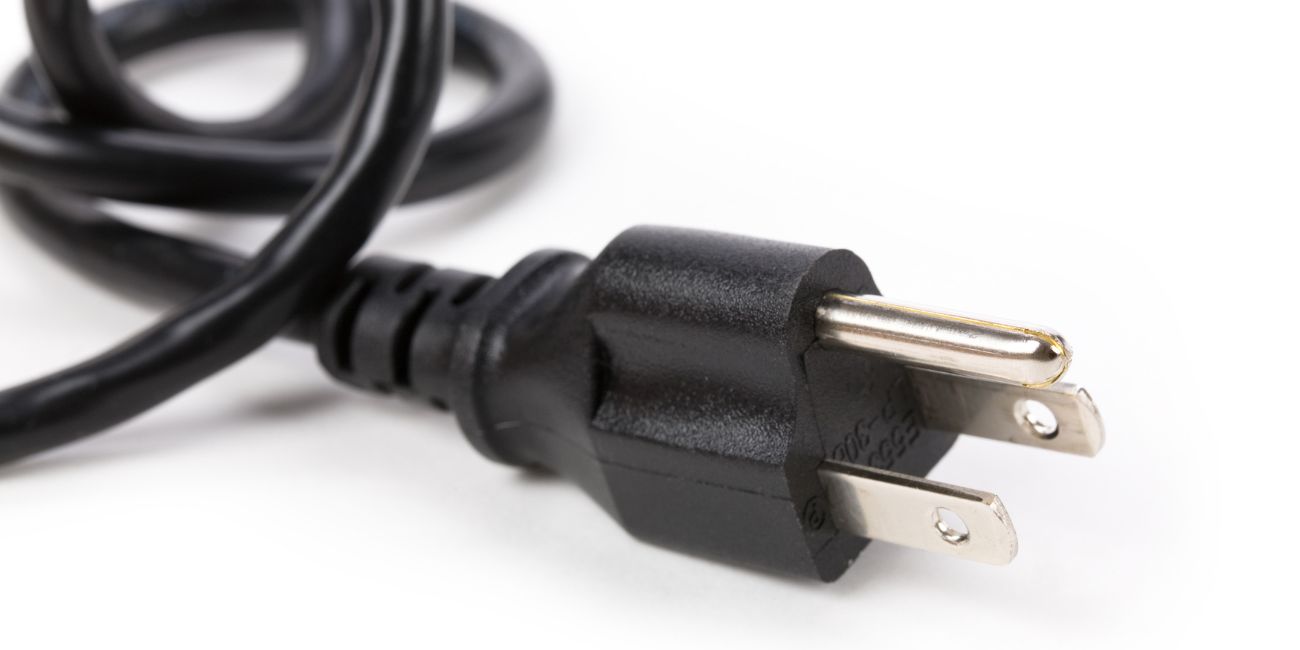
Next, check out the basic physical connections. If the power cable is loose, the battery is critically low, the internet is down, or a connector is damaged, address it immediately. If the error message shows up while using an app or a website, try switching to another network or restarting your router.
If you are troubleshooting a printer, inspect the USB cable, Wi-Fi connection, paper tray, and ink or toner levels. For household appliances, thoroughly inspect the door, filter, water line, drain pipe, and power outlet. Most importantly, never ignore warning lights on a vehicle dashboard, particularly if it involves an engine or safety warning.
4. Close the App, Update Software, Driver or Firmware
When a fault code appears on an app, check the store to update the app. If it is displayed on a laptop or printer, verify the system drivers and operating system updates. Check the settings menu or the official support application for firmware updates on smart TVs, routers, cameras, appliances, and other connected devices.
System updates frequently contain bug fixes and enhance the way the operating system interprets error codes. Sometimes, the device itself is not broken, and the hardware is fine; it simply requires the most recent version of its software to function properly and clear the false alarm.
5. Find the Exact Code With the Brand and Model
Do not just search for “unknown fault code” online, as that is far too broad. Look for the specific code while including the exact brand and model of your device. For instance, search for “Samsung washer fault code 4E” or “HP printer unknown error 79” to get relevant results.
The model number is very important here. Completely different code systems are possible even for two devices made by the same brand. Using the incorrect model’s troubleshooting guide can result in applying an incorrect fix, ultimately leading to a frustrating loss of time.
6. Reset Only If It Is Safe
If software settings have become corrupted, or the device is stuck in a bad operational state, a system reset can help. However, before you perform a full factory reset, take the time to read the implications. It may completely clear your saved data, Wi-Fi settings, personal files, account information, and custom setups.
Make sure you have a secure backup before resetting anything. If it is a relatively new product, review the warranty policy first. For high-dollar items like major appliances, cars, and expensive equipment, it is always advisable to read the manual thoroughly or contact official support before taking this step.
Things to Avoid to Fix a Fault Code
The worst thing you can do is guess. People often see a piece of a code, look for a quick remedy, and immediately apply the first solution they come across. While this might work sometimes by sheer luck, it can also easily make the core problem much worse.
Try to avoid the following common troubleshooting pitfalls:
- Installing a software fix or part intended for another model.
- Proceeding without checking the exact code or the full error message.
- Performing a factory reset before securing backups of your data.
- Opening device hardware when you do not know what you are doing.
- Continuing to restart the computer repeatedly out of frustration.
- Forgetting to check your warranty status or contacting official support.
- Failing to pay attention to physical indicators such as heat, odor, smoke, or noise.
Also, if the defect appears to be safety-related, do not continue to use the device. It is okay to push through a small app error, but a hot charger, a strong electrical smell, an active engine warning, or a smoking appliance is a serious hazard that requires immediate attention.
When to Call Support/Technician?
If the fault code is occurring again after a restart, a software update, and a thorough connection check, it is time to contact support. If the device absolutely doesn’t start, restarts repeatedly on its own, or displays the code during a crucial function, contact them as well.
If overheating, smoke, a burning smell, strange mechanical noise, leaking water, electrical sparks, or a critical safety warning are detected, all DIY fixes should be discontinued. You do not want to try out some random tip you found on the web at this time. Ask for professional assistance from the manufacturer, a service center, a mechanic, or a trained technician.
Here are some things to have on hand before contacting them to ensure a smooth process:
- The exact fault number or the full error message.
- The specific brand and model of the malfunctioning device.
- The serial number, if it is applicable and accessible.
- Clear photos or screenshots of the error screen.
- A description of exactly what happens when the code is shown.
- A list of the troubleshooting steps you have already done.
- Information on any recent changes, repairs, drops, or power disturbances.
Gathering this information saves a lot of time. Support teams can be much more helpful when you provide them with a clear, detailed indication of the problem rather than simply stating, “It just shows an error.”
Here are some answers to questions you may have about unknown fault codes.

If an unknown fault code appears, what does it mean?
It just means that the system identified a problem but is not able to clearly determine its exact nature. The manual might not contain the code, the software may be outdated, or the specific problem might require more extensive professional diagnostics testing.
Can I ignore an unknown fault code?
If it recurs, you do not want to just go on with your life. A code that appears one time after a minor fault may not be a big deal, but a fault code that is repeated strongly points to a persistent hardware or software issue that needs to be addressed.
Will resetting the device fix an unknown fault?
Sometimes, yes. Restarting can remove temporary memory errors, frozen background processes, and minor software glitches. However, if the identical code returns immediately after booting up, it is likely not just a temporary issue.
Should I factory reset my device?
Only reset when it is safe to do so and you fully understand what you are resetting. Ensure important data is backed up first. If the device is covered by an active warranty, be sure to read the manufacturer’s support advice prior to making a full reset.
Why does a fault code reoccur?
Repeated codes typically indicate that the core problem is not solved. It may be a persistently bad connection, a deep software problem, a faulty internal sensor, a true hardware failure, or a corrupted system configuration problem.
Final Thoughts
If the fault code is not known, do not panic; instead, review the troubleshooting information provided. Always perform the safe, basic checks first. Record the exact code, reboot the system, verify your power and connections, update your software, and look up the specific brand and model number. If the error keeps repeating or safety indications are displayed, contact official support or a qualified technician.
Have you encountered an unfamiliar fault code on a phone, car, appliance, printer, or other electronic device? When looking for a solution, always include the device type and the specific type of code, as that context will typically alter the correct fix.