

You open Battlefield 6, head to Portal mode, and suddenly see a message saying “an undefined error occurred.” Nothing loads. You cannot browse Portal experiences, join custom servers, or create your own mode. This feels confusing because the message does not explain what went wrong, and everything else in the game may look fine.
This guide explains what the BF6 Portal undefined error means, where it appears, why it happens, how to fix it step by step, and how to avoid seeing it again.
What Is An Undefined Error Occurred in BF6 Portal?
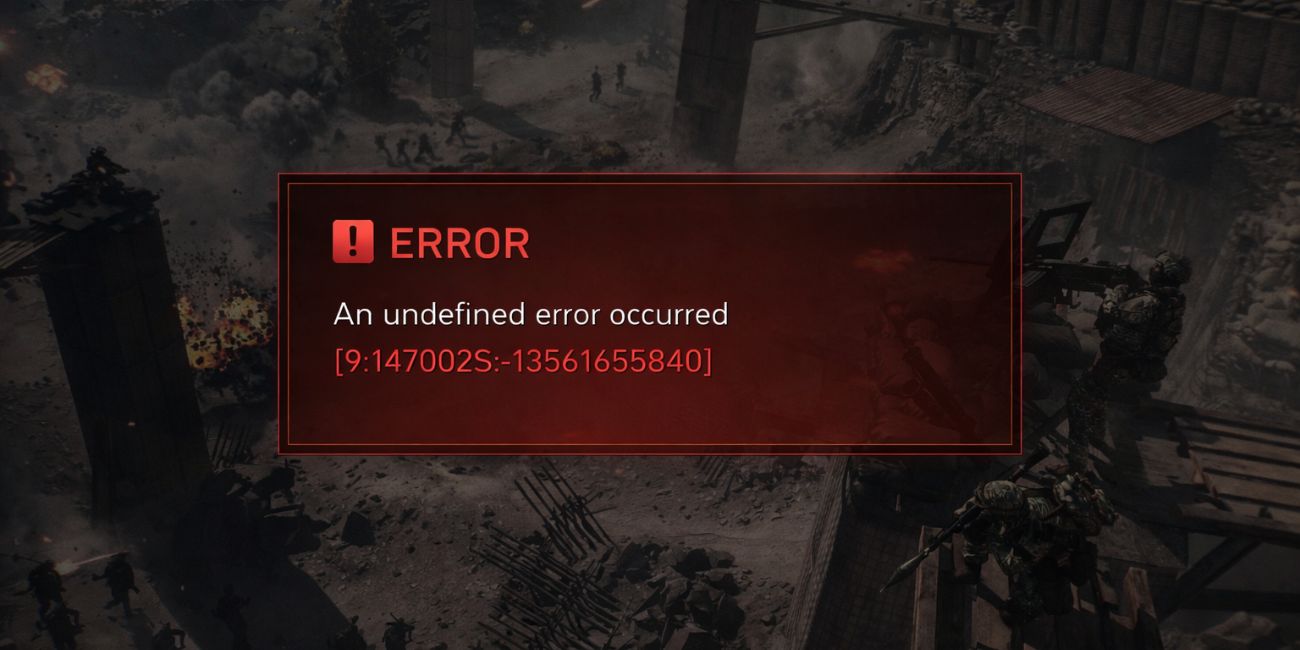
The undefined error in BF6 Portal means the game failed to complete a request when trying to access Portal services. Battlefield Portal relies on online services managed by Electronic Arts and backend systems linked to your EA account. When the system cannot confirm data, sync your session, or load Portal content, it shows a general error instead of a specific code.
You usually see this error when opening the Portal browser, loading custom experiences, or trying to join a Portal match. Sometimes it appears right after selecting Portal from the main menu. Other times, it shows during loading and sends you back without details.
Common Causes of BF6 Portal Undefined Error
This error can appear for several reasons, depending on server status, account sync, or network setup. Below are the most common causes.
- EA or BF6 Portal servers are down
- Platform services like Steam, PSN, or Xbox Live are unstable
- EA account session failed to sync
- Game version is outdated
- Corrupted cache or saved data
- VPN, firewall, or DNS blocking traffic
- NAT or router restrictions
How to Fix BF6 Portal Undefined Error?
The undefined error usually appears when Portal services cannot communicate correctly with your game or account. The fixes below move from simple server checks to deeper system and network changes.
Apply them one by one and test Portal after each fix so you know what solves the issue.
Fix #1: Check EA and BF6 Server Status
When EA or BF6 Portal servers are offline, Portal cannot load and shows an undefined error. Local fixes will not work until services are restored.
Follow these steps to check server status.
- Open a web browser
- Go to the EA Help service status page
- Look for Battlefield 6 or Portal services
- Check official Battlefield announcements
- Review recent outage or maintenance notices
- Wait until servers are confirmed online
Try Portal again after servers recover.
Fix #2: Restart Game, Platform, and Network
Temporary session data can block Portal communication. Restarting clears cached connections, refreshes platform services, and resets the network path used by Battlefield 6. This fix helps when Portal worked earlier and suddenly stopped after long play sessions or repeated menu switches. It also refreshes background services tied to your EA account and platform client.
Close Battlefield 6, exit the EA app or platform client, shut down your system, unplug the router and modem for about 30 seconds, then power everything back on and launch the game again.
Fix #3: Sign Out and Sign Back Into EA Account
Sometimes the EA account session loses sync with Portal services. When this happens, Portal requests fail and return a general error.
Sign out of your EA account, close the EA app, reopen it, sign back in, then launch Battlefield 6 and open Portal again.
Fix #4: Update BF6 and the EA App or Platform Client
Outdated game files or platform clients can cause mismatches with live Portal services.
Use the steps below to update everything.
- Open the EA app or your platform client
- Check for Battlefield 6 updates
- Install any available patches
- Update the EA app, Steam, PSN, or Xbox client
- Restart the platform after updating
- Launch Battlefield 6 and test Portal
Keeping versions aligned prevents errors.
Fix #5: Clear Cache or Saved Data
Corrupted cache files can interfere with Portal loading and data sync.
Follow these steps to clear cache.
- Close Battlefield 6 and the EA app
- Clear the EA app cache on PC
- On consoles, power off the system
- Unplug the console for 30 seconds
- Restart the system
- Launch the game and open Portal
This rebuilds fresh data.
Fix #6: Disable VPN or Proxy and Test Connection
VPNs and proxy services can route traffic through unsupported regions, which often breaks Portal connections.
Follow these steps to disable VPN or proxy services.
- Close Battlefield 6
- Open your VPN or proxy app
- Disconnect from the active server
- Exit the app completely
- Open network settings
- Make sure no proxy is enabled
- Restart Battlefield 6 and test Portal
Fix #7: Verify Game Files or Reinstall Add-ons
Missing or corrupted files can prevent Portal from loading even if other modes work.
Use these steps to verify files.
- Open the EA app or platform client
- Go to your game library
- Select Battlefield 6
- Open game settings
- Choose Verify or Repair files
- Wait for the scan to finish
- Restart the game and open Portal
Fix #8: Change DNS and Check NAT Type
DNS issues or a strict NAT type can block Portal communication with EA servers.
Follow these steps to adjust network settings.
- Open network settings on your system
- Change DNS to a public provider
- Save the DNS changes
- Restart your router
- Check NAT type in router settings
- Enable UPnP if available
- Launch Battlefield 6 and test Portal
Prevention Tips to Avoid BF6 Portal Errors
Prevention helps keep Portal access stable and reduces repeat errors. These habits make a difference.
- Keep Battlefield 6 updated
- Avoid VPNs while playing
- Restart your router weekly
- Use a stable internet connection
- Keep EA account logged in properly
- Avoid heavy downloads during play
- Follow official server announcements
Conclusion
In short, the BF6 Portal undefined error means the game cannot complete Portal service requests. This usually happens because of server outages, account sync issues, network blocks, or outdated files. While the error message looks unclear, the cause is often simple to fix.
Try the fixes one by one and follow the prevention tips to avoid future problems. If Portal still does not work, contact EA Support with your platform and network details. If this article helped you, leave a comment and share it with other Battlefield players.

