

Amazon Prime has become a household staple for millions of users worldwide, offering fast shipping, exclusive content, and many other member-only perks. However, even loyal customers sometimes encounter issues — with payment failures during subscription renewal being one of the more common frustrations. When a payment method fails, users may fear the interruption of service or even cancellation. Fortunately, many Amazon Prime members have successfully resolved these payment issues using several practical methods—some quick, others involving customer support intervention.
TL;DR
When Amazon Prime subscription payments are declined due to card issues, most users can quickly fix the problem by updating billing information or switching payment methods. Some have found success by contacting their bank or Amazon support, especially if the issue involved a valid card being unexpectedly declined. Many now enable automatic notifications and check expiration dates in advance to avoid future failures. Preventative steps and swift responses were key in ensuring uninterrupted Prime membership benefits.
Understanding the Root Cause
Before Amazon Prime users could effectively resolve their payment failures, they needed to first understand what led to the declined charge. The most frequent causes include:
- Expired credit or debit card
- Insufficient funds available
- Bank blocking the transaction due to suspected fraud
- Incorrect billing address or card information
- Temporary technical glitches in the card network
Each of these issues can cause Amazon’s automated billing system to decline a recurring Prime subscription payment. Fortunately, once identified, most are simple to rectify.
Immediate Steps Taken by Prime Members
After receiving a notification of a failed payment attempt from Amazon, most Prime members took these immediate steps to reinstate their accounts:
1. Updating Payment Information
The simplest and most common solution was updating the payment method directly via the Amazon account dashboard. Members logged in, navigated to Your Payments or Manage Prime Membership, and added a new card or corrected existing details.
In many cases, users had forgotten that their cards had expired recently and hadn’t updated the new numbers or CVV. After saving the new information, they were often able to retry the payment successfully within minutes.
2. Switching to a Different Card
Some members resolved the issue by using a different credit or debit card entirely. Amazon lets users select among saved payment methods or add a new one during the payment retry process. For those who had more than one card on file, this was a quick fix during time-sensitive situations, especially when the original cardholder couldn’t be reached.
3. Contacting the Bank
In a few instances, especially those involving fraud flags or unusually large Prime charges (e.g., household or business Prime), banks declined the transaction to protect the cardholder. Members who contacted their bank learned that lifting the temporary hold or verifying the transaction resolved the issue.
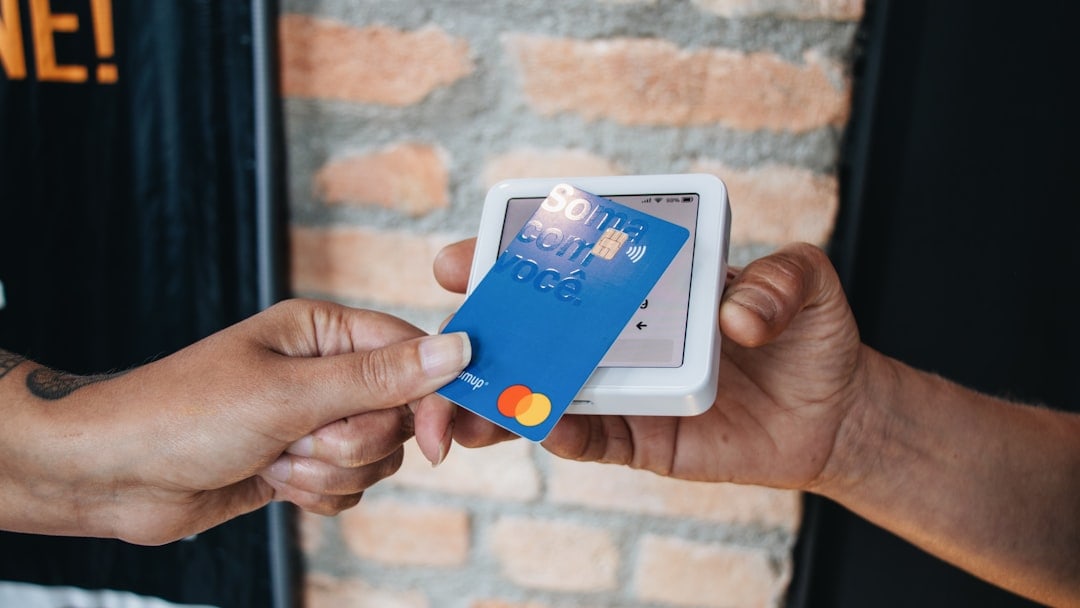
Once the user confirmed the charge with their bank, they were able to retry the payment through Amazon and continue enjoying their Prime benefits without delay.
4. Waiting for Automatic Retry
Amazon generally retries a failed payment within a few days. Users who temporarily lacked funds or were in the middle of switching accounts sometimes opted to wait for the system to process the transaction again automatically. However, this worked best when the issue was already being resolved in the background, such as a payroll deposit expected within 48 hours.
Contacting Amazon Support: When All Else Failed
When payment updates or bank interventions failed to resolve the problem, some Prime members turned to Amazon’s customer service for assistance. This was especially common when:
- The account was locked or temporarily suspended
- There were unexpected issues with the renewal despite having correct payment details
- The membership was linked to a business account or shared family plan
Amazon representatives usually offered a brief grace period for the member to update payment methods. On some occasions, they provided detailed insight into why a transaction had failed—something the platform’s automated messages didn’t always specify.
Some users reported receiving email notices and app alerts prompting them to update their payment method — making it easy to catch and fix issues before the service was suspended entirely.
Preventative Measures Adopted by Members
After experiencing a payment failure once, many Prime users changed their habits to prevent future disruptions. The most common preventative steps included:
- Setting calendar reminders: Marking card expiration dates in advance of expected subscription renewals
- Activating email and app notifications: Ensuring alerts about billing issues were received promptly
- Keeping multiple payment methods on file: So that Amazon could automatically select a backup in case the primary method failed
- Using debit cards or Amazon gift balances: Instead of relying solely on credit cards with security limits
- Monitoring bank policies: Especially for those using digital or online-only banks that might block recurring charges by default
Business and Family Accounts: Special Considerations
For business accounts or shared family Prime memberships, resolving payment issues sometimes involved additional coordination. In many of these cases:
- The primary cardholder had changed positions or left the company
- Corporate credit cards had been deactivated before the renewal date
- Linked members were unsure who was responsible for payment
These situations required contacting both Amazon and the organization’s finance team to update billing responsibilities—a more involved process that was smoother thanks to Amazon’s support for business services.
The Repercussions of Ignoring Failed Payments
While most users acted promptly, a few who failed to update their card details in time experienced temporary account suspension. This meant losing access to Prime Video, expedited shipping, and other perks until the payment issue was resolved.
After a certain period — approximately 30 days — Amazon cancels the subscription if no valid payment is provided. This led some members to lose access completely and go through the inconvenience of re-subscribing from scratch, often at a higher rate if promotions had changed.
Advice from Resilient Members
Members who swiftly resolved their card declines offered the following recommendations:
- “Don’t wait for Amazon to retry the payment — be proactive!”
- “Always double-check your card’s expiration dates and set up backups.”
- “Talk to your bank the moment a valid card is declined — it might just be an automatic block.”
- “Amazon chat support is fast and effective — don’t hesitate to use it.”
Conclusion
Payment failures during Amazon Prime subscription renewals are common but rarely permanent. Most members found success by quickly updating payment methods, contacting financial institutions, or reaching out to Amazon support. Taking preventative steps — such as keeping multiple cards on file and enabling notifications — drastically reduced the chances of failure in future billing cycles.
For millions of users, uninterrupted access to Prime’s suite of benefits is just a matter of staying a step ahead of potential billing hiccups.

