

Many people save passwords in Google without thinking twice. It pops up in Chrome, works on Android, and fills logins fast. Still, a common question comes up sooner or later. Is Google Password Manager actually safe, or is it risky to trust one account with all your passwords? This article breaks it down in a clear way so you can decide for yourself.
What Is Google Password Manager?
Google Password Manager is a built-in tool that stores your usernames and passwords in your Google account. You see it most often in Google Chrome and on Android phones. When you sign in to a website or app, Google asks if you want to save the password.
Once saved, those passwords sync across devices where you’re signed in with the same Google account. That includes laptops, phones, and tablets. You can also view and manage saved passwords through your Google account settings.
It’s not a separate app you download. It’s part of Google’s ecosystem, tied closely to Chrome, Android, and Google Sync.
How Google Password Manager Works
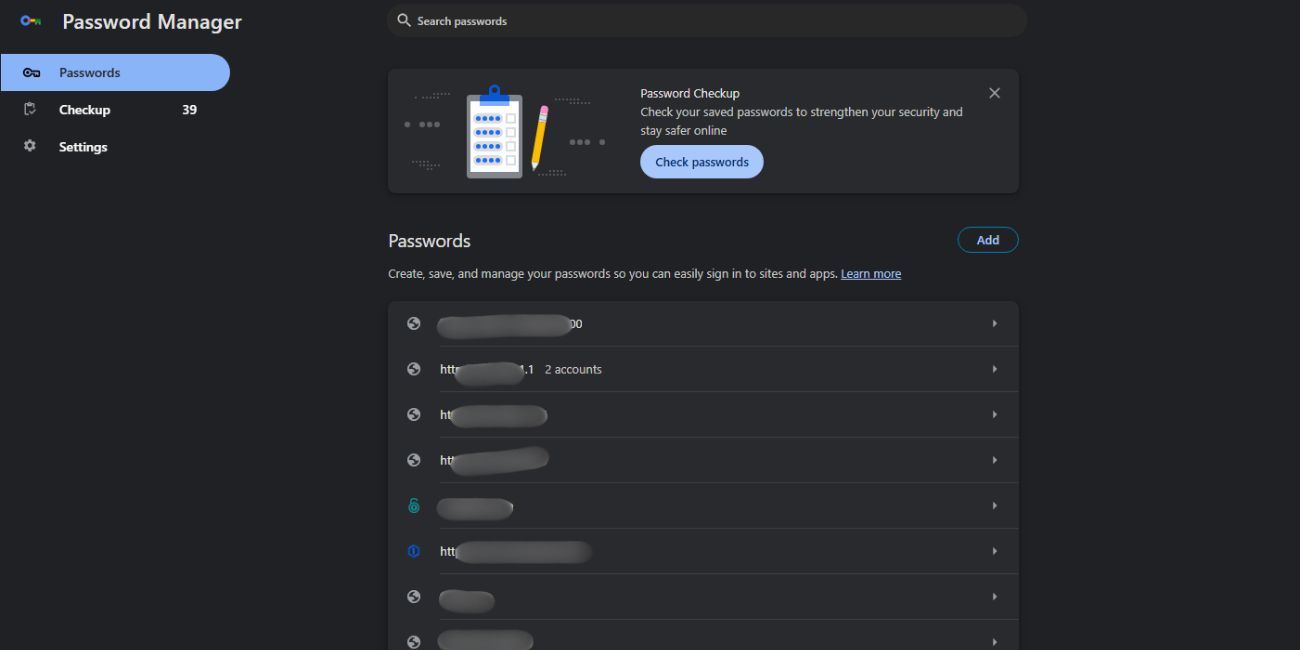
When you log in to a website, Google Password Manager offers to store the password. If you agree, the password is saved to your Google account.
After that:
- Google autofills the password when you revisit the site
- The password syncs to other signed-in devices
- You can edit or delete saved passwords anytime
This system focuses on convenience. It reduces the need to remember many passwords or reuse the same one everywhere.
How Secure Is Google Password Manager?
Google Password Manager uses encryption to protect saved passwords. That means your passwords are scrambled into unreadable data before being stored. Even if someone accessed the stored data, it would not appear as plain text.
Security also depends on your Google account. Google supports two-step verification, device security checks, and sign-in alerts. On Android, saved passwords often require screen lock, fingerprint, or face unlock before showing them.
So the protection is layered. Encryption protects the data. Account security protects access. Device security adds another check.
Can Google See Your Saved Passwords?
Google states that saved passwords are encrypted and protected. In normal use, Google employees cannot view your passwords.
You control access through your Google account. If someone signs in as you and passes your security checks, they could see saved passwords. That’s why Google account security matters as much as the password manager itself.
In short, Google does not casually view your passwords, but access depends on who controls your account.
What Are the Risks of Using Google Password Manager?
Google Password Manager is not risk-free. The main risk comes from account compromise.
Here are the most common concerns:
- If your Google account gets hacked, saved passwords may be exposed
- Phishing emails can trick users into giving away Google login details
- An unlocked or stolen device can give access to autofill passwords
Another limit is control. Google Password Manager lacks some advanced features found in dedicated password managers, like vault separation or emergency access tools.
How to Make Google Password Manager Safer
You can reduce risk by locking down your Google account and devices.
Here are steps that help:
- Turn on two-step verification for your Google account
- Use a strong, unique Google account password
- Secure your phone and computer with a lock or biometrics
- Watch for fake emails and login pages
- Review saved passwords and remove old ones
These steps matter more than the tool itself. A secure account makes the password manager much safer.
Google Password Manager vs Dedicated Password Managers
Google Password Manager focuses on ease of use. It works well if you stay inside Chrome and Android. It fills passwords fast and requires no setup.
Dedicated password managers offer more control. They often include password vaults, breach alerts, sharing options, and extra recovery tools. Some people prefer them for work accounts or sensitive data.
For everyday use, Google Password Manager is often enough. For higher control needs, a separate password manager may feel safer.
Who Should Use Google Password Manager?
Google Password Manager works well for casual users who want simple password saving. It fits people who already rely on Chrome and Android daily.
It may not suit users who manage many accounts, share credentials, or want detailed security controls. In those cases, a dedicated password manager offers more options.
Conclusion
Google Password Manager is generally safe when used with a secured Google account. It uses encryption, device checks, and account protections to keep passwords protected. The biggest risk is not the tool itself, but weak account security or phishing mistakes.
If you use strong account protection and stay alert, Google Password Manager is a reasonable choice for everyday password storage. If this article helped you decide, leave a comment and share it with others who wonder if Google Password Manager is safe.

