

Choosing the right project management software can make or break a team’s productivity. With so many platforms promising better collaboration, smarter workflows, and seamless communication, it’s easy to feel overwhelmed. Two of the biggest names in the space are ClickUp and Monday.com—both powerful, flexible, and popular among teams of all sizes. But which one is actually the best fit for your organization?
TL;DR: ClickUp is a feature-rich, highly customizable platform ideal for teams that want deep functionality and flexibility at a competitive price. Monday.com stands out for its intuitive interface, clean visual design, and ease of onboarding. If you value advanced tools and cost efficiency, ClickUp wins. If you prioritize simplicity and visual workflow management, Monday.com may be the better choice.
In this in-depth comparison, we’ll break down features, pricing, usability, integrations, automation, and overall value to help you decide which platform deserves a place in your workspace.
Overview: ClickUp and Monday.com at a Glance
Both ClickUp and Monday.com are cloud-based work management platforms designed to help teams plan, track, and execute projects efficiently. While they share many core capabilities—task management, time tracking, collaboration tools—their philosophies differ slightly.
- ClickUp aims to be an “all-in-one” productivity platform, replacing multiple tools like task managers, docs apps, and dashboards.
- Monday.com focuses on visual workflow management with a highly intuitive and colorful interface.
Here’s a quick visual snapshot comparing the two:
| Feature | ClickUp | Monday.com |
|---|---|---|
| Ease of Use | Moderate learning curve | Very beginner-friendly |
| Customization | Extremely high | High |
| Free Plan | Generous, feature-rich | Limited features |
| Automation | Advanced and flexible | Strong, easy to configure |
| Best For | Power users, large teams | Visual planners, fast onboarding |
Features Comparison
1. Task and Project Management
At their core, both tools allow teams to create tasks, assign responsibilities, set deadlines, and monitor progress. But the structure differs.
ClickUp uses a hierarchical system:
- Workspace
- Spaces
- Folders
- Lists
- Tasks
- Subtasks
This layered approach provides exceptional organization but can feel overwhelming at first.
Monday.com, on the other hand, revolves around boards. Each board represents a project or workflow and contains columns to track status, timelines, owners, and more. Its design feels more visual and straightforward.
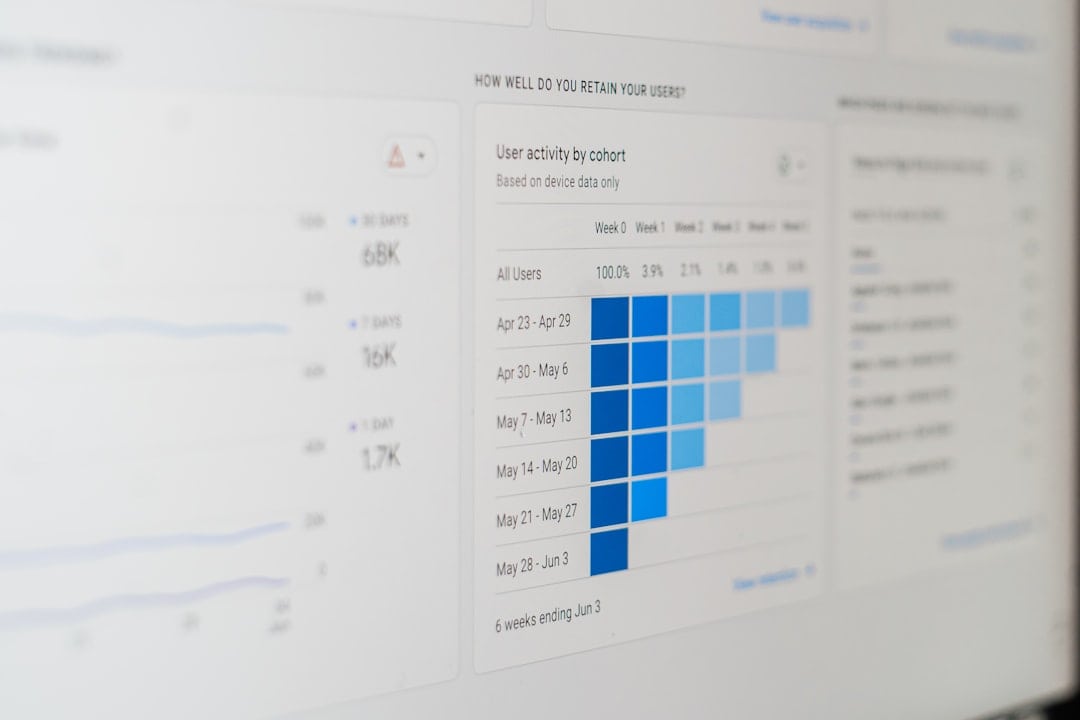
If your team thrives on clarity and visual simplicity, Monday.com may feel more natural. If you prefer deep structural organization and scalability, ClickUp has the edge.
2. Views and Customization
Both platforms offer multiple project views, but ClickUp takes it a step further.
ClickUp views include:
- List
- Board (Kanban)
- Calendar
- Gantt
- Timeline
- Mind Map
- Workload
- Table
Monday.com views include:
- Kanban
- Timeline
- Calendar
- Workload
- Gantt
- Chart
ClickUp stands out for its extensive customization options. You can create custom fields, custom statuses, reusable templates, and even tailor permissions down to small details. Monday.com also offers customization but focuses more on ease than depth.
Bottom line: If customization is your priority, ClickUp provides more flexibility.
3. Automation Capabilities
Automation reduces repetitive work and boosts efficiency. Both tools excel here—but in slightly different ways.
Monday.com uses a simple “when this happens, do that” system. It’s beginner-friendly and makes building automations straightforward.
ClickUp offers highly detailed automation rules with more conditions and triggers, making it better suited for complex workflows.
- Automatic status changes
- Task assignments
- Dependency adjustments
- Notification triggers
ClickUp’s automation feels more powerful for large-scale operations, while Monday.com shines in usability.
4. Collaboration Tools
Collaboration is where these platforms truly compete.
ClickUp includes:
- Built-in Docs
- Whiteboards
- Comment threads
- @mentions
- Goal tracking
Monday.com includes:
- Task comments
- File sharing
- Updates section
- Team tagging

ClickUp feels closer to an all-in-one productivity ecosystem, while Monday.com excels at keeping communication tied directly to workflows in a clean, simple way.
Ease of Use and User Experience
Monday.com is widely praised for its beautiful, colorful interface. The learning curve is minimal, making it ideal for teams new to project management software.
ClickUp, while powerful, can initially feel cluttered due to the sheer number of features available. New users might need training to fully utilize its potential.
If onboarding speed matters most, Monday.com wins. If long-term scalability matters more than initial simplicity, ClickUp has the advantage.
Integrations
Modern teams rely on dozens of tools. Integration flexibility matters.
Both platforms integrate with popular services like:
- Slack
- Google Workspace
- Microsoft Teams
- Zoom
- Zapier
- CRM tools
ClickUp offers slightly broader integration depth in some areas, particularly with developer tools. However, for most standard business use cases, both platforms deliver more than enough options.
Pricing Comparison
Pricing can significantly impact long-term value.
ClickUp Pricing (approximate tiers):
- Free Forever: Generous features, limited storage
- Unlimited: Budget-friendly per user pricing
- Business: Advanced automation and analytics
- Enterprise: Custom pricing
Monday.com Pricing (approximate tiers):
- Free (limited to 2 seats)
- Basic
- Standard
- Pro
- Enterprise
Generally speaking:
- ClickUp offers more features in its free and lower-tier plans.
- Monday.com’s pricing increases as you unlock advanced features.
For startups or budget-conscious teams, ClickUp often provides better value. For organizations focused on usability and presentation, Monday.com’s pricing may feel justified.
Scalability and Best Use Cases
Let’s break down ideal scenarios for each tool.
ClickUp Is Best For:
- Growing startups needing robust structure
- Product and engineering teams
- Agencies managing multiple complex projects
- Teams replacing several productivity tools
Monday.com Is Best For:
- Marketing teams
- HR departments
- Creative teams
- Organizations prioritizing quick adoption
ClickUp’s depth makes it highly scalable for large operations. Monday.com shines where clarity and workflow visualization matter most.
Pros and Cons Summary
ClickUp Pros:
- Extremely customizable
- Feature-rich free plan
- Advanced automation
- Built-in docs and whiteboards
ClickUp Cons:
- Steeper learning curve
- Can feel overwhelming initially
Monday.com Pros:
- Polished, intuitive interface
- Fast onboarding
- Strong visual workflow tools
Monday.com Cons:
- Higher cost at advanced tiers
- Less depth compared to ClickUp
Which Tool Is Best for Teams?
The answer depends on your priorities.
If your team wants deep customization, powerful automation, and strong value for money, ClickUp is likely the better long-term investment.
If your organization values ease of use, visual clarity, and quick adoption with minimal friction, Monday.com is an excellent choice.
Neither platform is objectively “better”—they simply serve different needs. Many companies even start with Monday.com for its simplicity and later migrate to ClickUp as workflows grow more complex.
Final Thoughts
Both ClickUp and Monday.com are leaders in the project management space, and for good reason. They offer reliable performance, modern interfaces, and flexible tools that empower teams to collaborate effectively.
Your decision should ultimately be guided by:
- Your team’s technical comfort level
- The complexity of your workflows
- Your budget
- Your growth expectations
Take advantage of free trials. Build a test project. Invite a few team members to experiment. The best platform isn’t just the one with the most features—it’s the one your team will actually enjoy using every day.
In the end, productivity software should work for your team, not complicate it. Whether you choose ClickUp or Monday.com, investing in the right system is a powerful step toward streamlined collaboration and sustainable growth.

