

Many readers who consider switching to an e-reader often ask whether the Kindle Paperwhite emits blue light and how that might affect their eyes and sleep. With growing awareness about screen time and digital eye strain, understanding the type of light produced by this popular device has become increasingly important. While the Kindle Paperwhite is designed to mimic real paper and reduce glare, questions about blue light exposure still remain relevant.
TLDR: Yes, the Kindle Paperwhite does emit a small amount of blue light because it uses LEDs to illuminate the screen. However, it produces significantly less blue light than smartphones, tablets, and laptops. Newer models also include adjustable warm lighting to reduce blue light exposure, especially at night. Overall, it is considered one of the more eye-friendly digital reading options available.
What Is Blue Light?
Blue light is part of the visible light spectrum and has a short wavelength with relatively high energy. It occurs naturally in sunlight but is also produced artificially by LED lights and digital screens.
Common sources of blue light include:
- Smartphones
- Tablets
- LED computer monitors
- Televisions
- Energy-efficient lighting
Blue light exposure during the day is not inherently bad. In fact, it can boost alertness and regulate circadian rhythms. However, excessive exposure in the evening may interfere with the body’s production of melatonin, the hormone responsible for sleep.
How the Kindle Paperwhite Screen Works
To understand whether the Kindle Paperwhite emits blue light, it is important to know how its display technology differs from traditional screens.
The Kindle Paperwhite uses E Ink technology, which is fundamentally different from LCD or OLED displays. Rather than emitting light directly toward the eyes, E Ink screens reflect light, similar to physical paper.
Image not found in postmetaHere is how it works:
- Microcapsules: The screen contains tiny capsules filled with black and white particles.
- Electrical charge: When charged, these particles move to form text and images.
- Front lighting: Built-in LEDs shine light across the screen surface rather than directly outward.
This reflective design significantly reduces glare and eye strain compared to backlit devices like smartphones.
Does the Kindle Paperwhite Emit Blue Light?
The short answer is yes, but in much smaller amounts than most digital screens.
The Kindle Paperwhite’s built-in LED lighting system includes white LEDs. Standard white LEDs naturally emit some blue wavelengths as part of their light spectrum. Therefore, whenever the front light is turned on, a certain level of blue light is present.
However, several factors make it different from typical screens:
- The light is directed across the display, not directly into the eyes.
- The brightness levels are typically much lower than tablets.
- E Ink minimizes flicker and glare.
- Newer models feature adjustable warm lighting.
In practical terms, users are exposed to significantly less blue light than they would be from an iPad or smartphone.
Comparison: Kindle Paperwhite vs. LCD Screens
The following comparison chart highlights the differences between the Kindle Paperwhite and traditional LCD devices:
| Feature | Kindle Paperwhite | Smartphone/Tablet (LCD/OLED) |
|---|---|---|
| Display Type | E Ink (reflective) | LCD or OLED (backlit) |
| Blue Light Emission | Low | Moderate to High |
| Light Direction | Front-lit, across screen | Backlit, toward eyes |
| Glare | Minimal | Can be significant |
| Night Reading Impact | Lower sleep disruption risk | Higher sleep disruption risk |
This comparison demonstrates why many readers consider the Kindle Paperwhite a more eye-friendly alternative for long reading sessions.
What About the Warm Light Feature?
Newer Kindle Paperwhite models include a Warm Light feature that allows users to adjust the screen tone from cool white to amber.

This function works by reducing the proportion of blue wavelengths in the light emitted by the device. The warmer the display setting, the less blue light is present.
Benefits of using Warm Light include:
- Reduced eye strain during extended reading
- More comfortable nighttime reading
- Less potential disruption of melatonin production
- A softer, paper-like appearance
Some models even allow users to schedule automatic warmth adjustments at sunset, mimicking natural lighting patterns.
Is Kindle Paperwhite Safe for Night Reading?
For those concerned about sleep quality, the Kindle Paperwhite is generally considered one of the safest electronic reading options before bed.
Because:
- It emits minimal blue light compared to phones
- It uses gentle front lighting rather than harsh backlighting
- Brightness can be lowered significantly
- Warm Light can further reduce blue exposure
In contrast, reading on a bright smartphone at maximum brightness in a dark room exposes the eyes to concentrated blue-heavy light, which may delay sleep onset.
Experts often recommend lowering brightness and enabling warmer tones on any device used before bedtime. The Kindle Paperwhite makes both easy to accomplish.
Eye Strain and Kindle Paperwhite
Eye strain is not caused by blue light alone. It can also result from:
- Prolonged focus at a fixed distance
- Reduced blinking while reading
- Poor ambient lighting
- Excessively small text size
Because the Kindle Paperwhite resembles printed paper, it often reduces the fatigue associated with glossy, flickering screens.
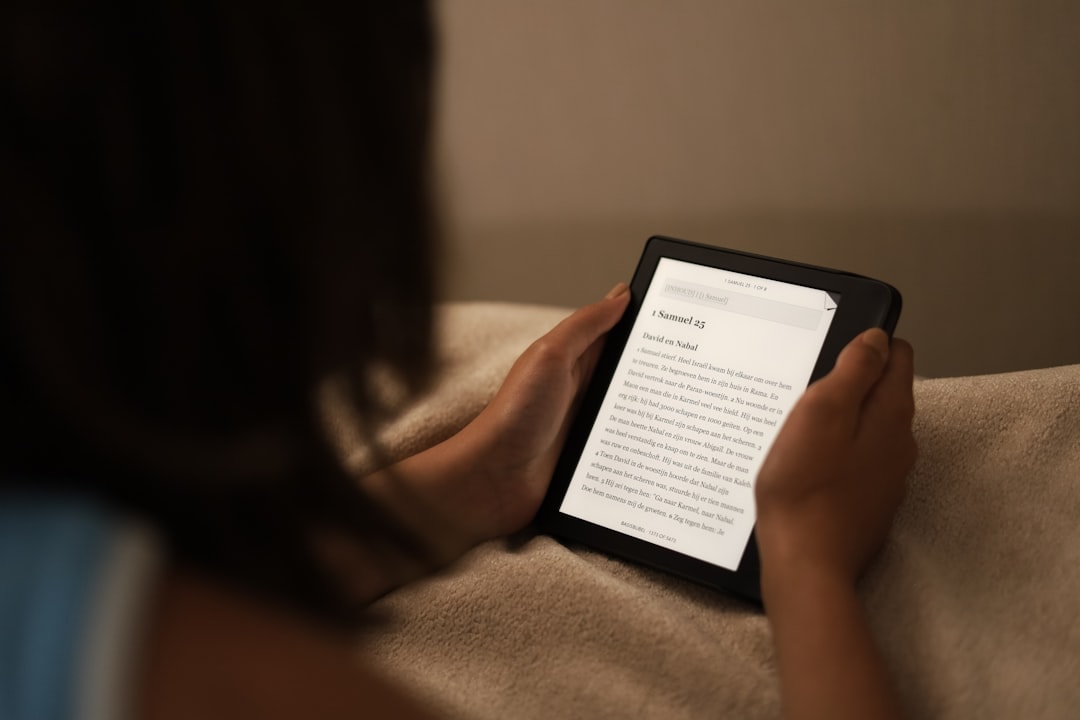
Many users report that reading on E Ink feels closer to reading a physical book, especially in well-lit environments.
Can You Use Kindle Paperwhite With the Light Off?
Yes. One major advantage of E Ink technology is that it does not require internal lighting in bright environments. When reading outdoors or in full daylight, users can turn the light completely off.
In this mode:
- No artificial light is emitted
- Blue light exposure drops to zero
- The device behaves like printed paper
This makes the Kindle Paperwhite particularly appealing for outdoor readers.
Should Blue Light Be a Dealbreaker?
For most users, blue light from the Kindle Paperwhite should not be a major concern. While it does emit some blue wavelengths when the light is on, the exposure level is minimal compared to mainstream digital devices.
Those who are extremely sensitive to light or who prioritize completely eliminating artificial blue light at night may prefer:
- Reading with Warm Light on maximum amber
- Lowering brightness to the minimum comfortable setting
- Using a clip-on amber reading light instead
- Turning off the device light in well-lit settings
However, compared to scrolling on social media or watching videos on a tablet, the Kindle Paperwhite represents a significantly gentler option.
Conclusion
The Kindle Paperwhite does emit some blue light because it uses LED front lighting. However, thanks to E Ink technology and adjustable warm lighting, the amount is far lower than that of backlit smartphones, tablets, or laptops. For readers concerned about eye health and sleep quality, it is widely considered one of the safest digital reading devices available.
By adjusting brightness and warm settings appropriately, most users can enjoy comfortable, extended reading sessions — even at night — with minimal disruption.
Frequently Asked Questions (FAQ)
1. Does Kindle Paperwhite emit blue light when the brightness is set to zero?
No. When the brightness is set to zero and no front light is used, the device does not emit artificial light. It functions like printed paper and reflects ambient light only.
2. Is Kindle Paperwhite better for the eyes than an iPad?
In most cases, yes. The Kindle Paperwhite emits significantly less blue light and uses reflective E Ink technology, which reduces glare and eye strain compared to iPads and other LCD or OLED screens.
3. Does the Warm Light completely remove blue light?
No, it does not remove it entirely. However, it significantly reduces blue wavelengths, making the display much warmer and more comfortable for nighttime reading.
4. Can blue light from Kindle Paperwhite affect sleep?
The risk is much lower compared to smartphones or tablets. Still, using lower brightness and warmer light settings at night is recommended to minimize any potential impact on melatonin production.
5. Is reading on Kindle Paperwhite the same as reading a physical book?
While not identical, it is very similar in visual comfort. With the light off in daylight conditions, the experience closely resembles reading printed paper.
6. Are older Kindle models different in terms of blue light?
Older models without Warm Light settings may emit slightly more blue light than newer versions. However, they still produce far less than typical backlit screens.
7. Should someone buy blue light blocking glasses for Kindle reading?
Most people do not need blue light blocking glasses specifically for Kindle Paperwhite use. The device already minimizes blue light exposure, especially when Warm Light is enabled.

