

You enter your login details, press confirm, and instead of the game loading, an error appears about device registration. That moment is frustrating, especially when your account details are correct. The Aion 2 device registration error matters because it blocks access before you can even start playing. When this happens, the game feels locked even though nothing looks wrong.
This guide explains what the error means, why it happens, how it is usually handled, and what you can do to reduce the chances of seeing it again.
What Is the Aion 2 Device Registration Error?
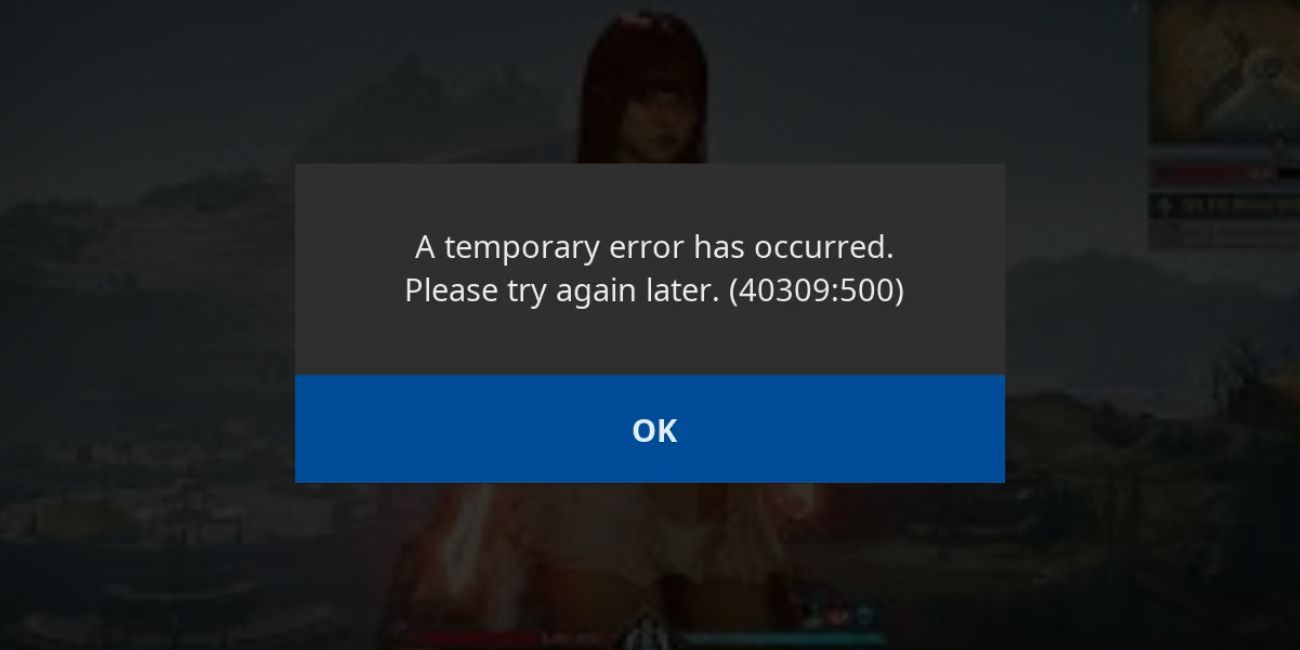
The Aion 2 device registration error means the game cannot confirm that your current device is approved for your account. Aion 2 uses a device verification system to protect accounts from unauthorized access. When the system does not recognize your device, login stops until the issue is resolved. This is a security step, not a punishment or ban.
Most players see this error while logging into Aion 2 through the launcher or login screen. It can appear after changing devices, reinstalling the game, or switching networks. At this point, the game client works, but account access does not.
Common Causes of Aion 2 Device Registration Error
This error does not appear randomly. It usually shows up when the game detects something unusual about the device or login environment. Sometimes the issue is related to account limits. Other times, network or system settings cause confusion during verification. Knowing the common causes helps avoid repeated lockouts.
Common causes include:
- Device limit reached on the account
- New or recently changed hardware
- VPN or proxy masking device identity
- Incorrect system date or time settings
- Corrupted launcher or game cache
- Account email verification not completed
- Regional or server-side security restrictions
How to Fix Aion 2 Device Registration Error?
This error appears when the game cannot verify your current device during login. The system treats it as a security issue and blocks access until verification succeeds. Sometimes the cause is small, like cached data or time mismatch. Other times, account checks are required.
Go through the fixes below one by one. After each fix, try logging in again to Aion 2.
Fix #1: Restart the Game and Launcher
Temporary launcher glitches can interrupt device checks. Closing everything and starting fresh often helps. Fully exit the game and launcher, wait a minute, then reopen the launcher and try logging in again. This resets background checks.
Fix #2: Disable VPN or Proxy Services
VPNs and proxies hide or change device identity. This can confuse the registration system and trigger the error. Turn off any VPN or proxy, close the launcher, reopen it, and log in again. If the login works, keep the VPN off when playing.
Fix #3: Verify Your Account Email
Device registration often requires a verified email. If the email is unverified or pending confirmation, login may fail.
Follow these steps:
- Log in to your game account website
- Open account security or profile settings
- Check email verification status
- Verify your email if required
- Save changes
- Try logging in again
Fix #4: Remove Old Registered Devices
Accounts often have a limit on how many devices can be registered. If the limit is reached, new devices get blocked.
Here’s how to clear old devices:
- Open your account management page
- Go to security or device settings
- Review registered devices
- Remove devices you no longer use
- Save changes
- Log in from your current device
Fix #5: Sync System Date and Time
Incorrect system time can break authentication checks. Device registration depends on accurate time syncing.
Follow these steps:
- Open system date and time settings
- Enable automatic time sync
- Set correct time zone
- Apply changes
- Restart your system
- Try logging in again
Fix #6: Clear Game Launcher Cache
Corrupted launcher cache can block device verification. Clearing it forces a clean login check.
You can do this by closing the launcher, clearing its cache folder from system settings or launcher options, reopening the launcher, and logging in again.
Fix #7: Log In Using the Official Launcher Only
Using modified launchers or shortcuts can interfere with security checks. Always log in through the official launcher provided by the publisher. Avoid third-party tools or custom launch methods.
Fix #8: Contact Official Support
If none of the fixes work, the device may require manual approval. Official support can review your account and reset device registration safely. Avoid repeated login attempts while waiting, as this may delay resolution.
Prevention Tips to Avoid Aion 2 Device Registration Error in the Future
Preventing this error helps protect your account and avoids repeated login blocks. Small habits can make a big difference, especially if you switch devices often. You do not need advanced tools. Simple care works best.
Here are easy prevention tips you can follow:
- Avoid logging in from many devices in a short time
- Do not use VPNs when accessing the game
- Keep your account email verified and up to date
- Log out properly before changing devices
- Keep the game launcher updated
- Watch for account security alerts
Conclusion
In short, the Aion 2 device registration error means the game cannot confirm your device for security reasons. The issue usually links to device changes, network masking, or account verification steps. It does not mean your account is banned or broken.
If the error keeps appearing, slow down and review your setup calmly. Avoid repeated login attempts and follow prevention habits. When needed, official support is the safest option. If this article helped you, share it with other players and leave a comment about your experience.

