

You open Goat Simulator 3, jump into the menu, and try to join online multiplayer. The game loads for a moment, then fails to connect or stays stuck syncing. This feels annoying because single-player works fine, but online play refuses to start. Since Goat Simulator 3 is more fun with friends, multiplayer problems quickly ruin the experience.
This guide explains what online multiplayer not working means in Goat Simulator 3, where the issue shows up, why it happens, how to fix it step by step, and how to prevent it later.
What Does “Online Multiplayer Not Working” Mean in Goat Simulator 3?
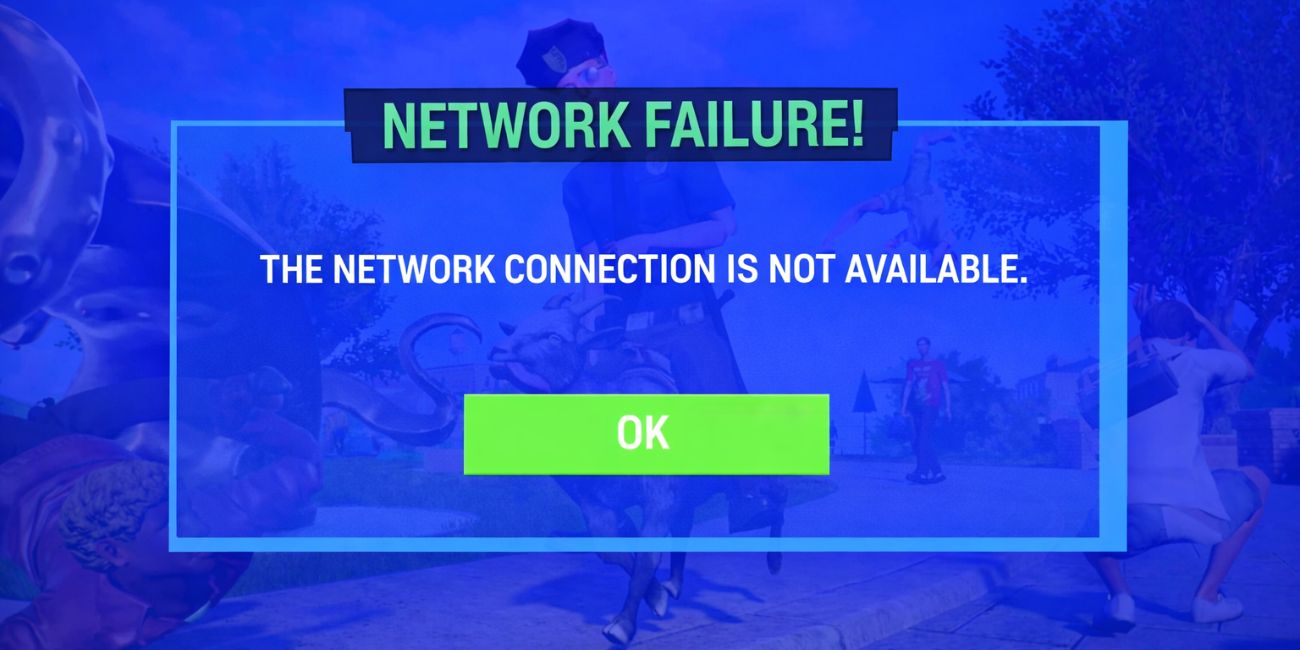
Online multiplayer not working means the game cannot create or join an online co-op session. Goat Simulator 3 uses online services to connect players, sync progress, and keep sessions active. When this process fails, the game stops the connection and sends players back to the menu or invite screen. This does not mean the game files are broken. It means the online session did not complete correctly.
You usually see this problem while accepting an invite or trying to join a friend. Sometimes the game gets stuck syncing. Other times, it shows a connection failed message. The issue can happen on PC through Epic Games Launcher, or on consoles using PlayStation Network or Xbox Live.
Common Causes of Goat Simulator 3 Online Multiplayer Not Working
Online multiplayer can fail for different reasons, depending on servers, network setup, or player settings. Below are the most common causes.
- Goat Simulator 3 servers are offline or unstable
- Players are using different game versions
- Internet connection drops or high latency
- Strict NAT type blocking online traffic
- Firewall or router blocking game ports
- Cross-play settings disabled
- Platform services experiencing outages
How to Fix Goat Simulator 3 Online Multiplayer Not Working?
Online multiplayer issues usually happen when the game cannot finish server checks, player syncing, or network validation. Sometimes the issue is on the server side, while other times it comes from network settings, version mismatch, or blocked connections. The fixes below focus on restoring proper communication between players and game services.
Apply each fix one by one and test online multiplayer after every change. This helps you clearly see which fix resolves the issue.
Fix #1: Check Goat Simulator 3 Server Status
If Goat Simulator 3 servers are offline or unstable, online multiplayer will not work even if everything on your system looks fine. During maintenance or high traffic, sessions may fail to create or disconnect while syncing.
Follow the steps below to check server status.
- Open a web browser
- Visit official Goat Simulator 3 pages
- Check Coffee Stain Studios announcements
- Look for maintenance or outage updates
- Check official social media posts
- Wait until servers are confirmed online
If servers are down, wait before trying other fixes.
Fix #2: Restart Game, System, and Network
Temporary system data or platform sessions can block online multiplayer connections. Restarting clears cached data, refreshes platform services, and forces the game to reconnect properly. This fix often helps when multiplayer fails after long play sessions or repeated invite attempts.
Close the game, shut down your PC or console, unplug your router and modem for about 30 seconds, then power everything back on. Launch the game again and test online multiplayer.
Fix #3: Make Sure All Players Are on the Same Game Version
Online multiplayer requires every player to use the same game version. Even a small update difference can block sessions or prevent players from joining each other during the syncing process.
Check for updates on all systems, install any available patches, restart the game, and then send or accept invites again.
Fix #4: Check Internet Connection Stability
An unstable internet connection can interrupt online sessions before they fully load. Small drops, packet loss, or Wi-Fi issues can disconnect multiplayer even when normal browsing still works. Pause downloads, close streaming apps, and switch to a wired connection if possible. A steady connection helps keep sessions active.
Fix #5: Disable VPN or Proxy
VPNs and proxy services can route traffic through unsupported regions. This often causes online sessions to fail or invites to stop working.
Follow these steps to disable VPN or proxy services.
- Close Goat Simulator 3
- Open your VPN or proxy app
- Disconnect from the active server
- Exit the app completely
- Open network settings
- Make sure no proxy is enabled
- Restart the game and test multiplayer
Fix #6: Check NAT Type and Router Settings
A strict NAT type can block peer connections and stop players from joining each other. Goat Simulator 3 works better with open or moderate NAT settings because they allow smoother session traffic.
Follow the steps below to adjust router settings.
- Open your router admin panel
- Check the current NAT type
- Enable UPnP if available
- Avoid double NAT setups
- Save changes and restart the router
- Launch the game and test multiplayer
Fix #7: Verify Game Files
Corrupted or missing game files can break online features while single-player still works. Verifying files checks the installation and restores damaged or missing data.
Use the steps below to verify game files.
- Open Epic Games Launcher
- Go to your game library
- Select Goat Simulator 3
- Open game settings
- Choose Verify files
- Wait for the scan to finish
- Restart the game and try multiplayer
Fix #8: Check Cross-Play and Invite Settings
If cross-play is disabled, players on different platforms cannot connect. Invite settings can also block session joins if permissions are restricted or misconfigured.
Open game settings, enable cross-play if needed, resend the invite, and accept it inside the game menu.
Prevention Tips to Avoid Online Multiplayer Issues in Goat Simulator 3
Prevention helps keep online sessions smooth and reduces repeated problems. These habits make a real difference.
- Keep Goat Simulator 3 updated
- Restart your router weekly
- Avoid VPNs while playing
- Use a stable internet connection
- Enable cross-play when needed
- Close background network apps
- Monitor official server updates
Conclusion
In short, Goat Simulator 3 online multiplayer not working means the game cannot create or join an online session. This usually happens because of server issues, network instability, NAT restrictions, or version mismatches. While the problem feels serious, most causes are easy to fix.
Try the fixes one by one and follow the prevention tips to avoid future issues. If multiplayer still does not work, contact Coffee Stain Studios support with your platform and network details. If this article helped you, leave a comment and share it with friends who want to play together.

