

When you try to buy tickets and see the message “Sorry! We couldn’t complete your request” with Error Code 0011, the checkout process stops immediately. This usually happens after you select seats and move forward, which makes the situation more stressful because it feels like you were already close to finishing the purchase.
This error appears on Ticketmaster, a system that handles live ticket inventory for concerts, sports, and events. Because tickets are sold in real time, even small delays or conflicts can cause checkout to fail. In most cases, the issue is temporary and related to seat availability or session problems rather than your account being blocked.
This article explains what Ticketmaster error code 0011 means, why it happens, and how to fix it using practical steps that real buyers use during checkout.
What is Ticketmaster Error Code 0011?
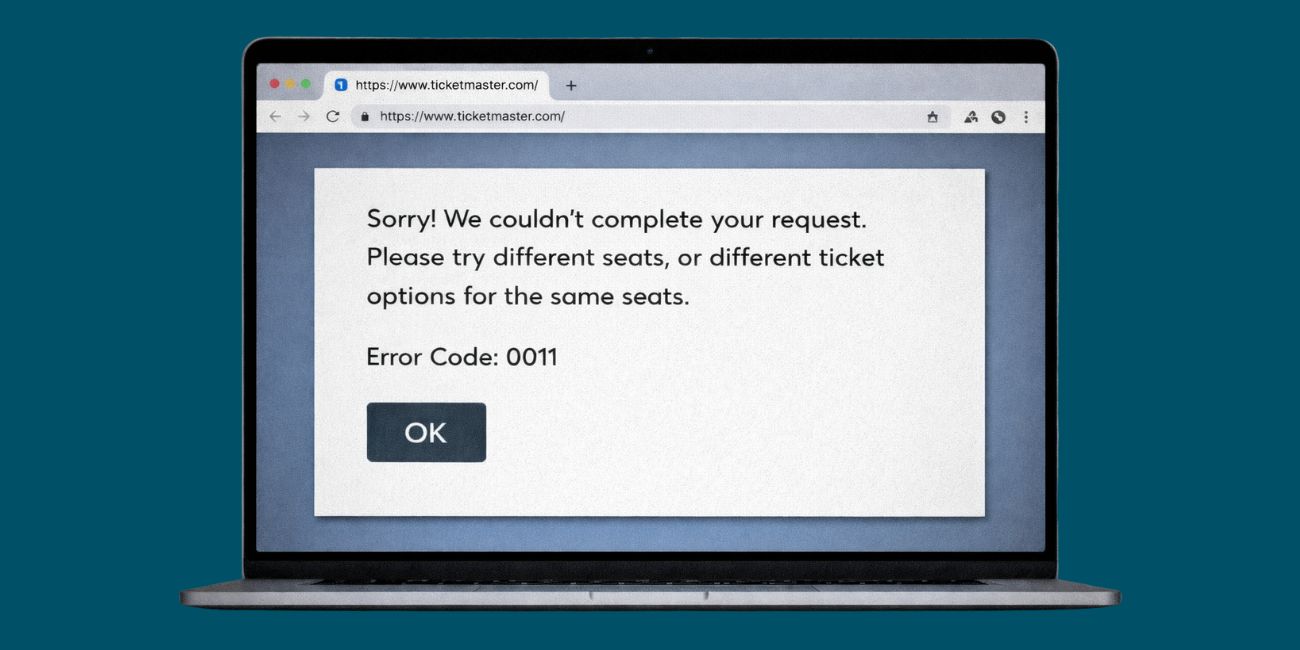
Ticketmaster error code 0011 means the platform was unable to complete your ticket request at that time. The system tries to reserve seats, confirm availability, and lock pricing before payment. If that process fails, the checkout stops and the error message appears.
This usually happens during or after seat selection, not at the start of browsing. Seats are held only for a short time, and if the system detects a conflict while confirming the reservation, it cancels the request to avoid selling the same seats twice.
The error does not always mean something is wrong with your account or payment method. Most of the time, it is tied to inventory changes happening very quickly.
Why Ticketmaster Shows Error Code 0011?
Ticketmaster error code 0011 can appear for several reasons, especially during busy sales.
Common causes include:
- Seats being taken by another buyer at the same time
- Ticket inventory refreshing during checkout
- Session timing out while seats are held
- Using multiple tabs or devices at once
- Browser cache or cookies causing session conflicts
- Heavy traffic during popular events
Because ticket availability changes second by second, even a short delay can trigger this error.
How to Fix Ticketmaster Error Code 0011
If you are seeing Ticketmaster error code 0011, follow the fixes below in order. After each fix, return to the event page and try the checkout again before moving on.
1. Wait Briefly and Retry Seat Selection
This error often happens when seats are released and reassigned very quickly during high-demand sales. Waiting one to two minutes before trying again gives the system enough time to refresh ticket inventory and clear overlapping seat holds. After waiting, go back to the seat map and select seats again instead of retrying the same selection immediately.
Rushing through repeated retries can keep you stuck in the same session conflict, which increases the chance of seeing error code 0011 again.
2. Choose Different Seats or Ticket Options
Sometimes the seats you selected are already part of another buyer’s checkout flow, even if they still appear available on the map. This creates a reservation conflict that stops the system from completing your request.
Selecting seats in a different section or choosing another ticket option often fixes the problem because it avoids seats that are already locked elsewhere. Many buyers complete checkout successfully after switching seats instead of retrying the same ones.
3. Refresh Your Session and Re-Enter the Event Page
If your checkout session becomes unstable, Ticketmaster may fail the request without showing a clear reason. Closing the checkout page fully and starting again from the event page creates a fresh session and clears temporary reservation data.
To refresh your session properly:
- Close the checkout page completely
- Reload the event page directly
- Re-enter the queue if prompted
- Start seat selection again
Avoid using the browser back button, as it can keep broken session data active.
4. Clear Browser Cache and Cookies
Browser cache and cookies sometimes store outdated session data that interferes with ticket checkout. Clearing this data removes conflicts that can cause error code 0011 to repeat.
Follow these steps carefully:
- Open your browser settings
- Clear cache and cookies for all time
- Restart the browser fully
- Log back into your Ticketmaster account
- Begin checkout again from the event page
This fix is especially helpful if the error keeps appearing across multiple attempts.
5. Use Incognito Mode or Switch Browsers
If clearing cache does not help, starting a clean browsing session can make a difference. Incognito or private mode runs without saved cookies, extensions, or stored session data that might interfere with checkout.
If possible, also try a different browser. Switching browsers changes how sessions are handled and often resolves repeated checkout failures when one browser keeps showing error code 0011.
6. Switch Device or Network Connection
In some cases, the issue is tied to the device or network being used. Changing devices or networks can reset how Ticketmaster processes your session and IP connection.
You can try:
- Using a phone instead of a computer
- Switching from Wi-Fi to mobile data
- Connecting to a different trusted network
This helps when network restrictions or repeated session requests trigger checkout errors.
7. Review Payment and Billing Details
Although error code 0011 usually relates to seat availability, payment verification delays can still stop checkout. Incorrect billing information or switching payment methods mid-process can cause the system to cancel the request.
Make sure your billing address matches your payment method exactly. Use one payment method only and avoid changing it during checkout to reduce processing delays.
Does Error Code 0011 Mean You Lost the Seats?
Not always. In many cases, the seats return to the inventory shortly after the error appears. During high-demand events, however, those seats can be taken again very quickly by other buyers.
If you want the best chance, wait briefly and reselect seats instead of retrying immediately. Do not assume the seats are permanently gone unless they no longer appear on the seat map.
When the Issue Is on Ticketmaster’s Side
Sometimes error code 0011 appears even when everything on your end is correct. During major sales, Ticketmaster servers handle massive traffic, and inventory syncing delays can cause checkout failures that users cannot fix locally.
When this happens, waiting and trying again later is often the only option. Checking official updates can help confirm whether the issue is widespread.
How to Avoid Ticketmaster Error Code 0011 in the Future
You can lower the chance of seeing this error again by preparing ahead of time.
Log in before ticket sales begin, use one device and one browser tab, avoid rapid refresh or repeated clicks, and save your payment details in advance. These steps help checkout run more smoothly during busy sales.
Final Thoughts
Ticketmaster error code 0011 usually happens because seat availability changes too quickly during checkout. While the error feels frustrating, it does not always mean your tickets are gone or that your account has a problem.
If this article helped you finish your purchase, share it with others who face the same issue. You can also leave a comment and say which fix worked for you. That feedback helps other buyers get through checkout with less stress.

