

Email warmup tools protect your sender reputation, ensure high deliverability, and give you the best chance of landing in your prospects’ primary inbox. All email warmup tools gradually ramp up sending volume and activity, so new inboxes don’t raise red flags when used in cold emails.
How to Choose an Email Warmup Tool for Your Sales Team
Email warmup tools are a non-negotiable. And although most do the same thing (automate sending and reply activity), the quality of your warmup is decided by these factors:
Quality of the Warmup Pool
Many of the email warmup tools you’ll find on the market just add accounts into the pool and automate sending patterns. The problem is, if that pool is full of low-quality or “obviously warmup” inboxes, the engagement signals don’t help much and can even look unnatural.
The better tools run warmups in real Gmail/Microsoft environments, using high-quality, verified inboxes that mimic human behavior. The email accounts inside the pool should also be aged with stricter quality rules for sending and replying.
Sending Patterns and Email Activity
Imagine adding your inboxes to a warmup pool that uses the same subject line, email copy, and replies. That’s a fast way to kill deliverability before even starting campaigns.
You want warm-up tools that send email gradually, add random time gaps, vary subject lines, and mix in realistic actions like replies, forwards, starring, and moving messages out of spam.
Scalability and Pricing
Cold email is a numbers game, so scaling usually means warming up many inboxes. Pick a tool that matches your budget and growth plan: some are flat monthly plans, others charge per inbox, and many lock their best warmup pools behind higher tiers.
5 Best Email Warmup Tools That Ensure High Inbox Placement
Below are five of the best email warmup tools we’ve tested. Each one delivers a high-quality warmup pool, human-like activity, and pricing that scales as you add inboxes. We also weighed ease of setup and how smoothly each tool fits into a typical outbound stack.
Instantly.ai: Cold Outreach Automation + Unlimited Premium Warmup Pool
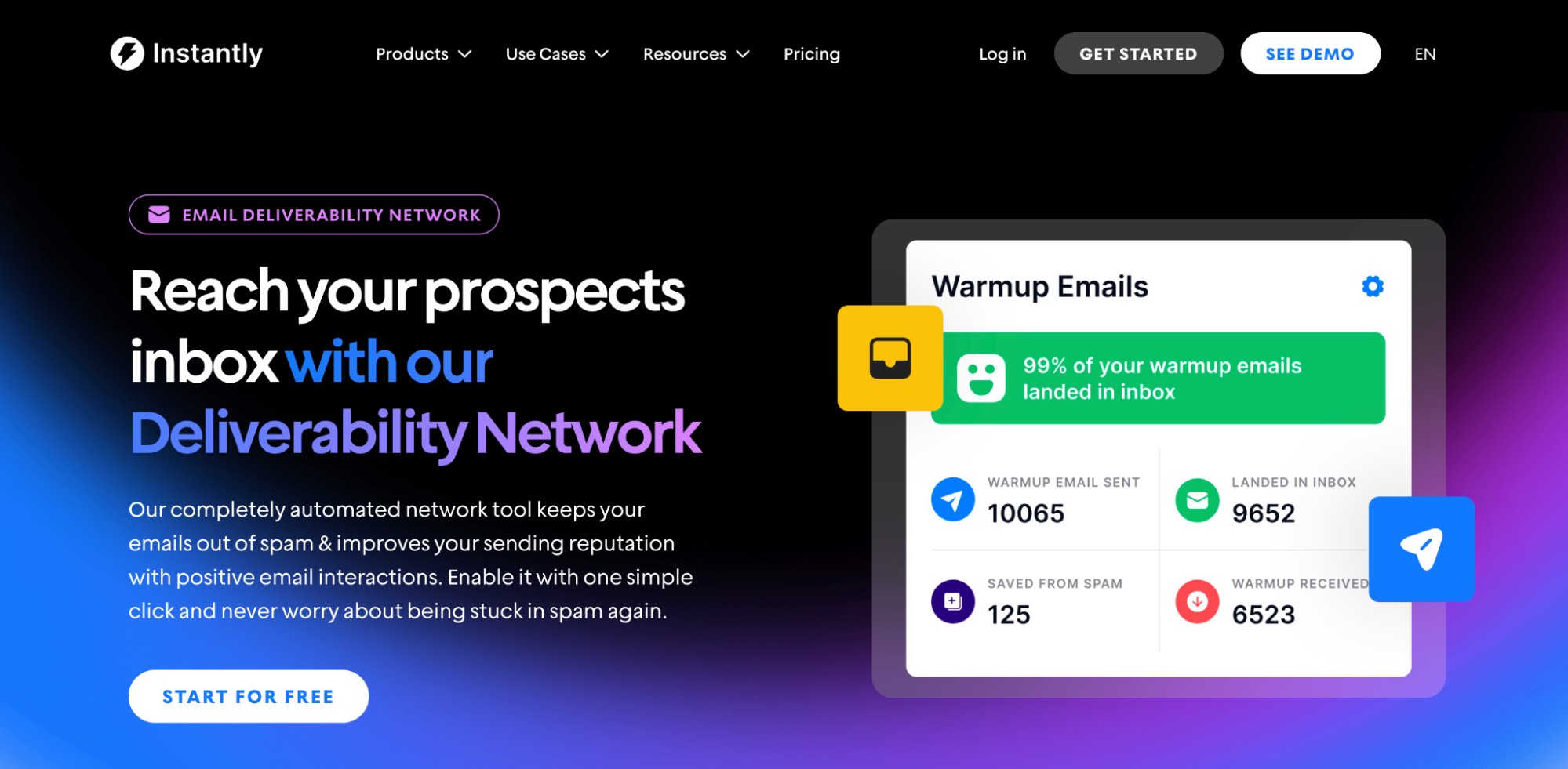
When we tested Instantly Email Warmup, it was the fastest and most convenient way to get cold email infrastructure up and running. We purchased inboxes through DFY, and they were immediately added to Instantly’s premium warmup pool ($500/month value) for free.
Instantly’s premium warmup pool consists solely of high-quality, aged, and verified Google and Microsoft accounts. And if you want to start campaigns ASAP, Instantly also offers pre-warmed accounts. The best part is that you can add as many domains and inboxes without any additional cost, and warm them up with just a click. It’s that simple!
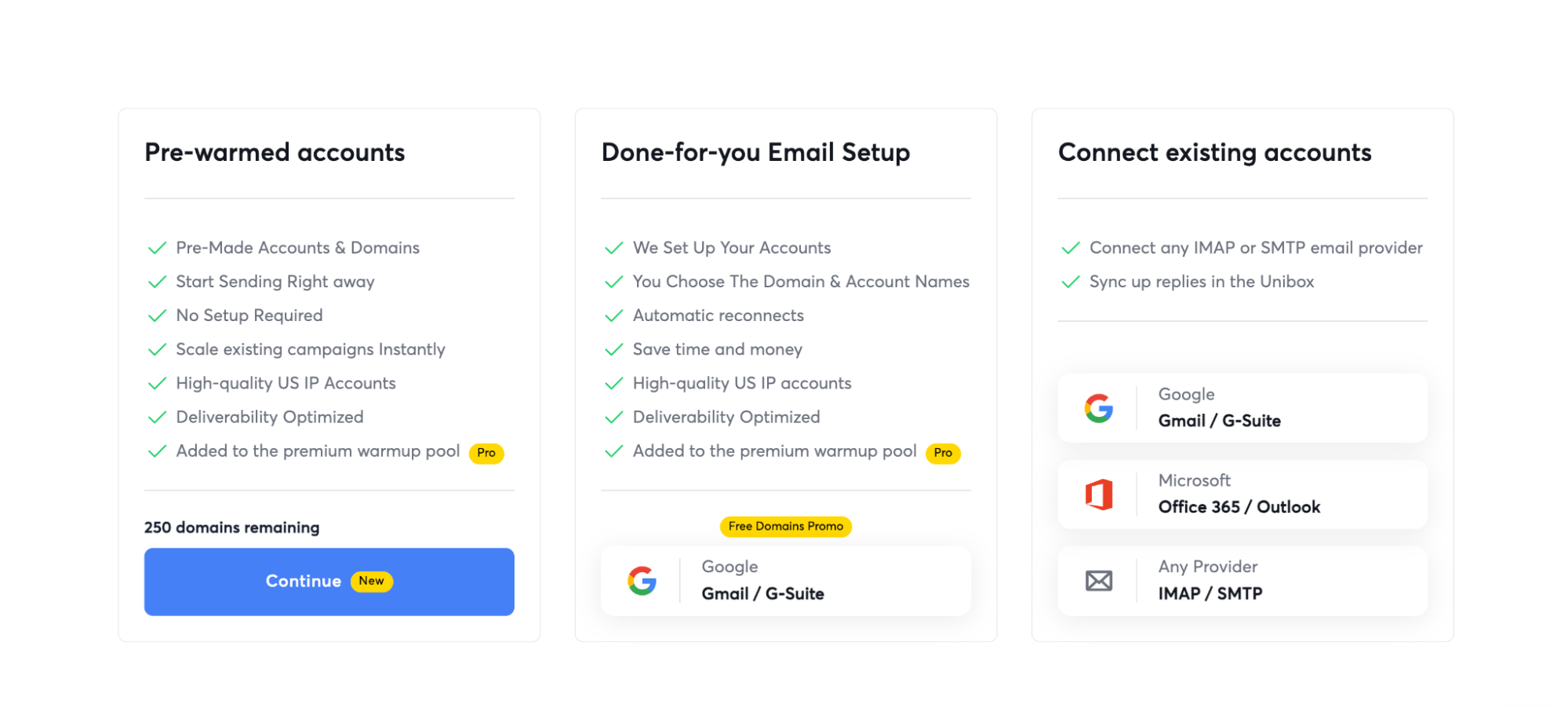
Key Features:
- Warmup filter tag (to help filter warmup emails from your primary inbox)
- Increase by day (ramps volume gradually, starting at 1/day by default)
- Daily warmup limit (max warmup emails per day; suggested 10 for new accounts)
- Reply rate (percentage of warmup emails that get replies)
- Mimicking real, human-like email activity and thoughtful replies
Pricing: Instantly email warmup is included with every outreach plan, starting at $37.6 per year or $47 per month.
Warmup Inbox: Simple Stand-Alone Warm-Up + Reporting
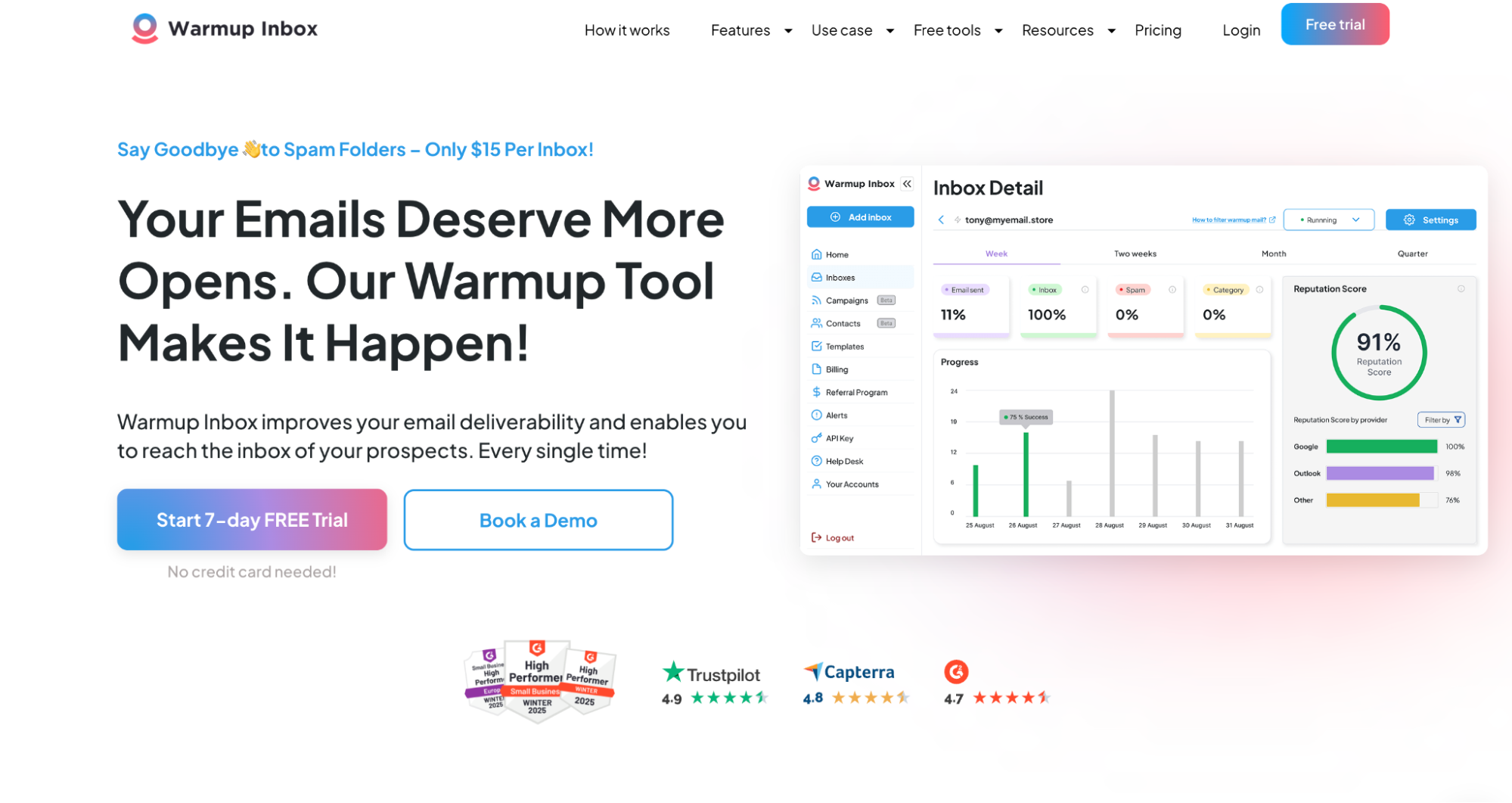
Warmup Inbox’s setup is straightforward, and the dashboard makes it easy to see whether your warm-up is building healthy activity over time. What stood out most is that Warmup Inbox leans hard into the basics that matter: gradual ramp-up, automated replies, and spam recovery.
The main tradeoff is that it’s not trying to be a deep deliverability suite. It’s a warmup tool first, with just enough reporting to keep you confident you’re trending in the right direction.
Key Features:
- Per-inbox warm-up with gradual ramp-up
- Automated engagement (opens/replies) designed to look human
- Spam rescue behaviors (moving messages out of spam)
- Simple reporting so you can spot problems early
- Works across Gmail/Workspace + Outlook/Microsoft 365 (and other providers via SMTP/IMAP)
What we didn’t like:
- Warm-up can feel aggressive if you don’t keep limits conservative on brand-new inboxes
- Less “diagnostics” depth than enterprise deliverability tools
- Support feedback is mixed, depending on the situation
Pricing: Starts at $15/mo per inbox, with higher tiers based on daily warm-up volume.
Mailflow (QuickMail): Free Multi-Inbox Warm-Up Built for Scale
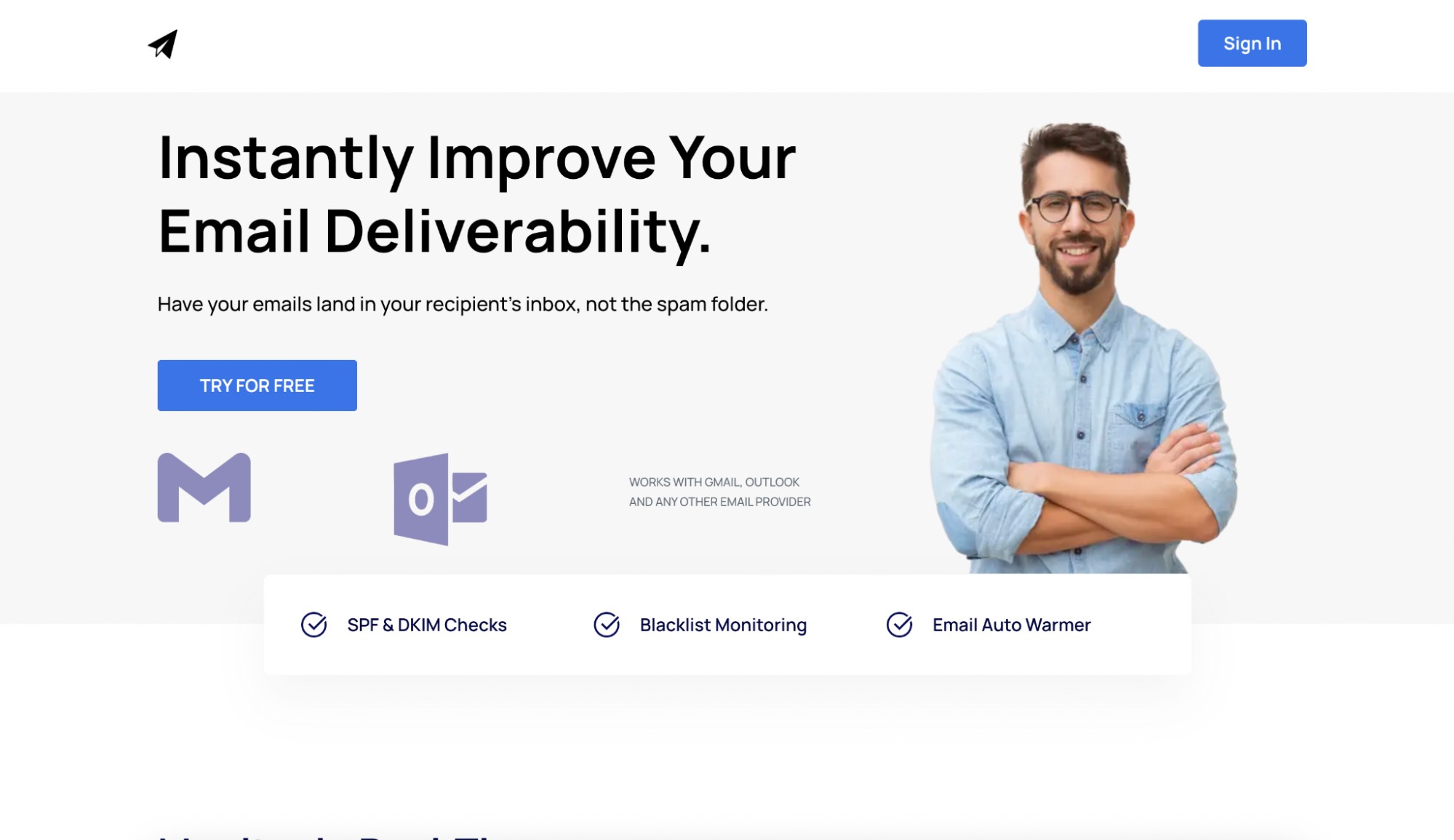
Mailflow lets you warm up a big batch of inboxes for free, and for many teams, that’s enough to get started. What makes Mailflow interesting is the trade it offers. You get volume-friendly scalability, but the experience is more utilitarian.
We also like Mailflow’s emphasis on deliverability monitoring. You get SPF and DKIM checks and blacklist monitoring to ensure you don’t get issues when sending at scale.
If you already use QuickMail, it’s especially convenient because Warmup sits close to your outreach workflows. However, you’re limited to 100 email accounts and 30 warmups daily.
Key Features:
- Free warm-up option that supports a large number of inboxes
- Automated warm-up engagement (opens/replies) with spam rescue behavior
- Deliverability reporting (inbox vs spam signals)
- QuickMail-native workflows if you’re using QuickMail for outreach
What we didn’t like:
- Daily warm-up volume limits can feel restrictive for power users
- Customization is lighter compared to tools that let you tune everything
Pricing: Free tier (large, multi-inbox-friendly), then paid tiers start at $49/mo and $99/mo, depending on pool/volume.
Warmbox: Feature-Heavy Warm-Up With Custom Schedules and Monitoring
Warmbox gives you complete control over scheduling, different warm-up modes, spam score monitoring, and deliverability checks. The downside is the cost when you’re scaling many inboxes, especially if you’re warming dozens across multiple domains.
For agencies and high-volume senders, it’s powerful, but you want to be intentional about where you use it. That means it’s best to use it when you’re trying to maintain a key domain or a high-value inbox set.
Better fit when you’re trying to protect a key domain or high-value inbox set
Key Features:
- Multiple warm-up modes (growth/flat/random) + schedule controls
- Automated interactions: opens, replies, spam rescue
- Spam score monitoring and reporting dashboard
- DNS/blacklist checks
- Supports Gmail/Workspace, Outlook/Microsoft 365, plus SMTP providers
What we didn’t like:
- Not the cheapest option once you stack many inboxes
Pricing: Starts around $15/mo for 1 inbox, then jumps to bundles like $69/mo (3 inboxes) and $139/mo (6 inboxes).
TrulyInbox: Unlimited-Account Warm-Up
TrulyInbox has one of the most attractive “scale math” models we’ve seen: paid plans that allow unlimited accounts, with your fundamental constraint being total warm-up volume.
Where it gets tricky is consistency. Reviews paint a mixed picture: some users love it for the price and results, while others run into issues with ramping behavior, settings that don’t match reality, and slow or nonexistent support.
Key Features:
- Warm-up sends “one at a time” with varied intervals for human-like pacing
- Gradual ramp-up tied to reputation improvements
- Deliverability scoring to monitor inbox health
- A central place to manage accounts and pair with your outreach platform
- Broad provider support (Gmail/Workspace, O365, plus others)
What we didn’t like:
- Support is the most significant recurring red flag in user feedback
- Some users report the warm-up volumes/ramp-up not matching plan expectations
- Reporting depth is lighter, and historic tracking can feel limited
Pricing: Paid plans start around $22 to $29/mo with unlimited accounts, then scale up based on total daily warm-up volume.
Key Takeaways
Email warmup is a non-negotiable for every sales team. You need it to build sender reputation for new accounts, and you can also use it for accounts that used to perform well but have dropped in deliverability. To recap, here are the five warmup tools that we recommend:
- Go for Instantly if you want an all-in-one tool for cold outreach (warmup, outreach automation, and prospecting)
- Try TrulyInbox or Mailflow if you’re scaling and want to warmup multiple inboxes.
- Use Warmup Inbox or Warmbox to save high-value email accounts.

